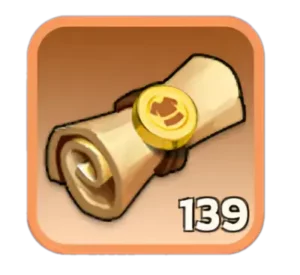
 Design Plans
 are a
Chief Gear upgrade material in Whiteout Survival. Chief Gear unlocks at
Furnace Lv. 22, but you do not need Design Plans for its earliest upgrades. They become necessary after a Chief Gear piece reaches
Blue-1; upgrading that piece further to Blue-2 requires Design Plans.
You do not activate Design Plans separately from your inventory. Open Chief Gear, select the piece you want to improve, and use the normal upgrade option. If that upgrade requires Design Plans, the game includes them in the material cost and consumes them when you confirm the upgrade.
Current sources include Intel Missions, the Foundry Shop, State of Power/SvS Shop, Canyon Shop, Tundra Trading Station, Alliance Championship Shop from Gen 4 onward, Crazy Joe from Gen 4 onward, Chief Gear-related chests, and packs.
★Quick Take: If you have Design Plans but cannot use them yet, keep upgrading your Chief Gear normally. Once a piece reaches Blue-1, Design Plans begin appearing in the requirements for further progression. The first Design Plan upgrade to Blue-2 requires 45 Plans.
What Are Design Plans in Whiteout Survival?
Design Plans are one of the materials used to progress Chief Gear beyond its early stages. They are different from
Charm Designs, which belong to the separate Chief Charm system.
| Design Plan Detail |
Information |
| Used for |
Chief Gear upgrades |
| Chief Gear unlock requirement |
Furnace Lv. 22 |
| When Design Plans start |
After a Chief Gear piece reaches Blue-1 |
| First Design Plan upgrade |
Blue-1 to Blue-2 |
| First Design Plan requirement |
45 Design Plans |
| Used from inventory? |
No, they are consumed through the Chief Gear upgrade screen |
| Needed long term? |
Yes, later Chief Gear tiers continue requiring Design Plans |
The original version of this guide described Design Plans as being needed for “Chief Gear level 4 and higher.” That wording can be confusing because Chief Gear is displayed through quality tiers and stars rather than as a simple numbered Lv. 1, Lv. 2, Lv. 3 progression.
A clearer way to understand the breakpoint is:
reach Blue-1 first, then Design Plans are required to continue to Blue-2 and beyond.
How to Use Design Plans in Whiteout Survival
This is one of the most common questions about the item because Design Plans can appear in your inventory before you understand where to spend them.
There is no separate “Use” button you need to activate. Design Plans are part of the normal Chief Gear upgrade recipe.
- Reach Furnace Lv. 22 to unlock Chief Gear.
- Open your Chief profile and enter the Chief Gear interface.
- Select the Chief Gear piece you want to upgrade.
- Progress that piece through its early upgrades using the required Hardened Alloy and Polishing Solution.
- Once the piece reaches Blue-1, continue to the next upgrade.
- The upgrade screen will show Design Plans when they are required.
- Confirm the upgrade, and the required Design Plans are consumed automatically.
!Important: Do not confuse Design Plans with Charm Designs. Design Plans upgrade Chief Gear, while Charm Designs are used in the separate Chief Charm system that unlocks later.
When Do You Start Needing Design Plans?
Early Chief Gear progression starts with
Hardened Alloy and Polishing Solution. Design Plans enter the upgrade path once you progress beyond Blue-1.
The first few Design Plan requirements make the transition easy to see:
| Target Chief Gear Stage |
Design Plans Required |
| Blue-2 |
45 |
| Blue-3 |
50 |
| Purple-0 |
60 |
| Purple-1 |
70 |
After this point, Chief Gear recipes continue changing. Some upgrades require Design Plans together with Hardened Alloy and Polishing Solution, and later Red gear introduces
Lunar Amber as another requirement.
The main takeaway is that Design Plans are not a temporary material used for only one upgrade. Once they enter your progression, you will continue needing them for higher Chief Gear.
Where to Get Design Plans in Whiteout Survival
The current official Design Plans listing includes several F2P, event, shop, chest, and paid sources.
| Source |
Availability |
Best For |
| Intel Missions |
Routine gameplay |
Passive long-term accumulation |
| Foundry Shop |
Foundry-related shop |
Players earning Foundry currency |
| State of Power / SvS Shop |
State of Power progression |
Active SvS participants |
| Canyon Shop |
Canyon activity |
Players with available shop currency |
| Tundra Trading Station |
Periodic event |
Trading surplus eligible items for useful materials |
| Alliance Championship Shop |
From Gen 4 onward |
Active alliance members |
| Crazy Joe |
From Gen 4 onward |
Alliance event participation |
| Chief Gear Chests |
Selected events and rewards |
Mixed Chief Gear material gains |
| Packs |
Paid |
Optional faster progression |
1. Intel Missions
Intel Missions are one of the current official sources of Design Plans. That makes them particularly useful because Intel is already part of normal account progression rather than a separate activity you need to farm solely for Chief Gear.
Not every Intel reward will necessarily be a Design Plan, so keep completing available Intel instead of expecting every mission to provide one.
2. Foundry Shop
The
Foundry Shop is an important repeatable source for players who participate in Foundry Battle and accumulate the corresponding shop currency.
Because Foundry currency can usually be spent on several progression items, check your current account bottlenecks before automatically spending everything on Design Plans. If Plans are preventing your next Chief Gear upgrade, they become a much more attractive purchase.
3. State of Power / SvS Shop
The
State of Power shop is another current source of Design Plans. Participation in State of Power gives players opportunities to earn currency and rewards that can support Chief Gear development.
If you regularly participate in SvS, include the shop in your Design Plan routine instead of waiting until your Chief Gear is already blocked.
4. Alliance Championship Shop
Design Plans are added to the
Alliance Championship Shop from Gen 4 onward. This means younger states may not see them there yet even if an older-state guide tells you to buy them.
Alliance Championship is recurring alliance content, so active players can gradually convert their participation into Chief Gear materials over time.
Before buying, compare Design Plans with your need for Hardened Alloy, Polishing Solution, and any other valuable items currently available in the shop.
5. Crazy Joe
Crazy Joe becomes another Design Plan source from Gen 4 onward. This makes the event especially useful for Chief Gear progression because it can contribute multiple materials connected to Chief Gear development rather than only Design Plans.
Joining an active alliance matters here. Higher participation makes it easier to consistently benefit from recurring alliance events instead of relying only on shop purchases.
6. Canyon Shop
The Canyon Shop is included in the current Design Plan source list. Like other activity shops, its value depends on the currency you have available and what else your account needs.
Do not purchase Design Plans simply because they are visible. Check whether they are actually blocking your next Chief Gear upgrade first.
7. Tundra Trading Station
The
Tundra Trading Station gives you another way to work toward Design Plans by exchanging eligible surplus items for Trade Vouchers and spending those vouchers in the event shop.
This can be particularly useful for developed accounts with excess materials they no longer value as highly. Always review the full Trading Station inventory before exchanging scarce resources.
8. Chief Gear Material Chests
Chief Gear-related chests can also provide Design Plans. One especially useful example is the
Chief Gear Materials Chest.
| Chief Gear Materials Chest Contents |
Quantity |
| Hardened Alloy |
400 |
| Polishing Solution |
4 |
| Design Plan |
1 |
This chest is useful because it contributes to all three materials that become relevant during the middle stages of Chief Gear progression instead of giving only Design Plans.
Chief Gear Variety Chests can also produce Design Plans among their possible Chief Gear material rewards.
9. Packs
Design Plans are also available through paid packs. These provide the fastest route for players willing to spend, but the exact value of a pack depends on its current price and complete contents.
Do not judge a pack only by its Design Plan count. Check whether it also provides the Hardened Alloy, Polishing Solution, or later materials required for the Chief Gear upgrade you actually intend to complete.
Best Way to Get Design Plans for F2P Players
There is no unlimited F2P farming loop for Design Plans. The more reliable strategy is to stack several recurring sources so your inventory grows before you hit the next Chief Gear bottleneck.
Use This Priority Routine
- Complete Intel Missions consistently. They are part of normal gameplay and can contribute Design Plans without special spending.
- Participate in Foundry Battle. Check the Foundry Shop when Plans are your current bottleneck.
- Use State of Power opportunities. Review the SvS shop and milestone rewards while the event is active.
- Stay active in Alliance Championship. From Gen 4 onward, Design Plans become available through its shop.
- Participate in Crazy Joe from Gen 4 onward. It supports broader Chief Gear progression.
- Check Canyon Shop and Tundra Trading Station. Compare Design Plans with competing items before spending limited currency.
- Collect Chief Gear chests. They can supplement your supply while also giving other required materials.
✓Recommendation: Do not wait until a Chief Gear upgrade turns red from missing Design Plans. Start collecting them as soon as the relevant sources become available in your state. Unlike Hardened Alloy, Design Plans are concentrated in specific shops, events, missions, and chests, so planning ahead reduces long stalls.
Design Plans vs. Other Chief Gear Materials
Chief Gear upgrades use several materials, and the bottleneck changes as your gear improves.
| Material |
Role in Chief Gear |
When It Becomes Important |
| Hardened Alloy |
Core Chief Gear material |
From early upgrades onward |
| Polishing Solution |
Core Chief Gear material |
From early upgrades onward |
| Design Plans |
Mid- and late-stage Chief Gear material |
After Blue-1 |
| Lunar Amber |
Late-game Chief Gear material |
Starting with Red gear |
This progression explains why you can have thousands of Hardened Alloy and still be unable to upgrade: once Design Plans enter the recipe, having enough of the earlier materials alone is no longer sufficient.
How Many Design Plans Should You Save?
There is no single ideal stockpile because the amount depends on your six Chief Gear pieces and their current tiers. The important point is that requirements continue beyond the first 45-Plan upgrade.
The first sequence alone requires 45 Design Plans for Blue-2, 50 for Blue-3, 60 for Purple-0, and 70 for Purple-1 on an individual piece. Later Chief Gear upgrades continue consuming Plans, often alongside Hardened Alloy and Polishing Solution.
Instead of choosing an arbitrary number to hoard, inspect your next planned upgrades across all six Chief Gear pieces and add those requirements together.
Should You Upgrade One Chief Gear Piece or Keep Gear Balanced?
Design Plans are limited enough that
upgrade order matters. Chief Gear consists of six pieces:
| Chief Gear Pieces |
Troop Type Improved |
| Coat and Pants |
Infantry Attack and Defense |
| Cap and Watch |
Lancer Attack and Defense |
| Ring and Weapon |
Marksman Attack and Defense |
Whiteout Survival also rewards matching gear quality. Having three pieces of the same quality gives a troop-wide Defense bonus, while six pieces of the same quality gives a troop-wide Attack bonus.
For many F2P and low-spending players, that makes reasonably balanced Chief Gear progression a strong default. Pushing one piece far ahead can delay the next useful three-piece or six-piece quality threshold.
More competitive rally or garrison leaders may prioritize a particular troop type depending on their stats and role, but that should be a deliberate choice rather than simply upgrading whichever piece happens to be selected first.
When Should You Spend Design Plans?
Design Plans permanently improve Chief Gear when used, so there is no need to save them forever. However, timing upgrades can give you more value when an active event rewards Chief Gear development.
Before spending a large stockpile, check:
- Whether a current or upcoming event rewards Chief Gear progression.
- Whether upgrading several pieces could reach a three-piece or six-piece quality bonus.
- Whether you have enough Hardened Alloy and Polishing Solution for the following upgrades.
- Whether your next gear tier will introduce another material bottleneck.
- Which troop type matters most for your current combat role.
If you prefer beginning with more Chief Gear progression already completed instead of farming every material on a fresh account, a
wos account for sale is an optional progression path. Check the specific account’s six Chief Gear pieces, Chief Charms, heroes, Furnace or Fire Crystal progression, and other development before deciding.
Late-Game Design Plan Use and Material Exchange
Design Plans remain relevant far beyond their first Blue-tier upgrades. Higher Chief Gear stages use increasingly expensive combinations of Design Plans and other Chief Gear materials.
At sufficiently advanced Chief Gear progression, the
Enhancement Material Exchange also becomes available, allowing Chief Gear materials to be exchanged for one another. This is a late-game system rather than something new Furnace Lv. 22 players should build their early strategy around.
For most accounts, direct event, mission, shop, and chest acquisition should remain the normal way to build a Design Plan supply.
Common Design Plan Mistakes
Trying to Use Design Plans From the Inventory
You do not need to activate the item manually. Design Plans are automatically included in the Chief Gear upgrade cost when you reach an upgrade that requires them.
Thinking Design Plans Are Needed Immediately at Furnace Lv. 22
Furnace Lv. 22 unlocks Chief Gear, but the earliest gear stages use Hardened Alloy and Polishing Solution. Design Plans become necessary after reaching Blue-1.
Confusing Design Plans With Charm Designs
These are different materials for different systems. Design Plans are for Chief Gear; Charm Designs are for Chief Charms.
Using an Outdated Source List
Design Plan acquisition has changed as Whiteout Survival has added more content. Current sources include Intel Missions, Foundry, State of Power/SvS, Canyon, Tundra Trading Station, Gen 4+ Alliance Championship and Crazy Joe rewards, chests, and packs.
Buying Design Plans When Another Material Is Blocking You
Before spending limited event or shop currency, check the full recipe. Your next upgrade may be limited by Hardened Alloy, Polishing Solution, or eventually Lunar Amber instead.
Ignoring Set-Quality Bonuses
Chief Gear rewards three and six pieces of matching quality. Do not spend Plans on one piece without first checking whether a more balanced upgrade path could reach a useful set threshold.
Frequently Asked Questions
What are Design Plans used for in Whiteout Survival?
Design Plans are used to upgrade Chief Gear after its early stages. They enter the upgrade path after a Chief Gear piece reaches Blue-1 and continue being required for later tiers.
How do you use Design Plans in Whiteout Survival?
Open Chief Gear, select a piece that has progressed far enough to require Design Plans, and use the normal upgrade button. The required Plans are consumed automatically as part of the upgrade recipe; you do not use them directly from your inventory.
When do Design Plans start being required?
After reaching Blue-1 with a Chief Gear piece, you need Design Plans to continue. The upgrade to Blue-2 requires 45 Design Plans.
How do you get Design Plans in Whiteout Survival?
Current sources include Intel Missions, Foundry Shop, State of Power/SvS Shop, Canyon Shop, Tundra Trading Station, Alliance Championship Shop from Gen 4 onward, Crazy Joe from Gen 4 onward, Chief Gear-related chests, and packs.
What is the best way to get Design Plans as F2P?
Use multiple recurring sources rather than relying on one activity. Complete Intel Missions, participate in Foundry, State of Power, Alliance Championship and Crazy Joe when eligible, check Canyon and Tundra Trading Station, and collect Chief Gear chests whenever available.
Are Design Plans the same as Charm Designs?
No. Design Plans upgrade Chief Gear. Charm Designs belong to the separate Chief Charm system and cannot replace Design Plans in a Chief Gear upgrade.
Conclusion
Design Plans become a major Whiteout Survival Chief Gear material once a piece reaches Blue-1. You use them automatically through the Chief Gear upgrade screen, and the first Design Plan step to Blue-2 requires 45 Plans. Build your supply through Intel Missions, event shops, alliance content, Tundra Trading Station, Crazy Joe, and Chief Gear chests instead of waiting until an upgrade is already blocked.
For more Chief Gear explanations, resource guides, and progression strategies, explore the latest
Whiteout Survival guides on Heaven Guardian.