
The Kingshot City Development event is a two-day early-kingdom event that rewards players for using speedups and upgrading Governor Gear.
You earn one point for every minute of Construction, Research, or Training and Promotion Speedups used. You can also earn three points for every one Governor Gear Score gained.
The final milestone requires 16,000 points. City Development also includes a kingdom leaderboard, with additional rewards for the top 100 players.
This guide explains every scoring method, Governor Gear point values, speedup calculations, preparation tips, milestone strategy, and whether competing for ranking rewards is worthwhile.
Save Construction, Research, and Training Speedups before the event. If Governor Gear is available, save Satin, Gilded Threads, and Artisan’s Vision for a planned upgrade. Reach 16,000 points efficiently, then stop unless the leaderboard rewards justify using more materials.
What Is the City Development Event?
City Development is an irregular growth event that appears several times during the early weeks of a new kingdom.
The event lasts two days and contains four scoring tasks:
- Use Construction Speedups
- Use Research Speedups
- Use Training or Promotion Speedups
- Increase your Governor Gear Score
Unlike Plan Your City, City Development does not reward the amount of Power gained from a completed building or research project. Speedup points are based on the number of minutes used.
| Event Detail | City Development |
|---|---|
| Duration | 2 days |
| Schedule | Irregular, during early kingdom progression |
| Scoring tasks | Speedups and Governor Gear upgrades |
| Milestone tiers | 4 |
| Final milestone | 16,000 points |
| Leaderboard rewards | Top 100 players |
City Development vs Plan Your City
The two events have similar themes, but their scoring systems are different.
| Feature | City Development | Plan Your City |
|---|---|---|
| Construction | Points from Construction Speedup minutes | Points from Construction Power gained |
| Research | Points from Research Speedup minutes | Points from Research Power gained |
| Troop training | Counts through Training and Promotion Speedups | Does not count |
| Governor Gear | 3 points per Gear Score gained | Does not count |
| Final milestone | 16,000 points | 60,000 points |
City Development Point Tasks
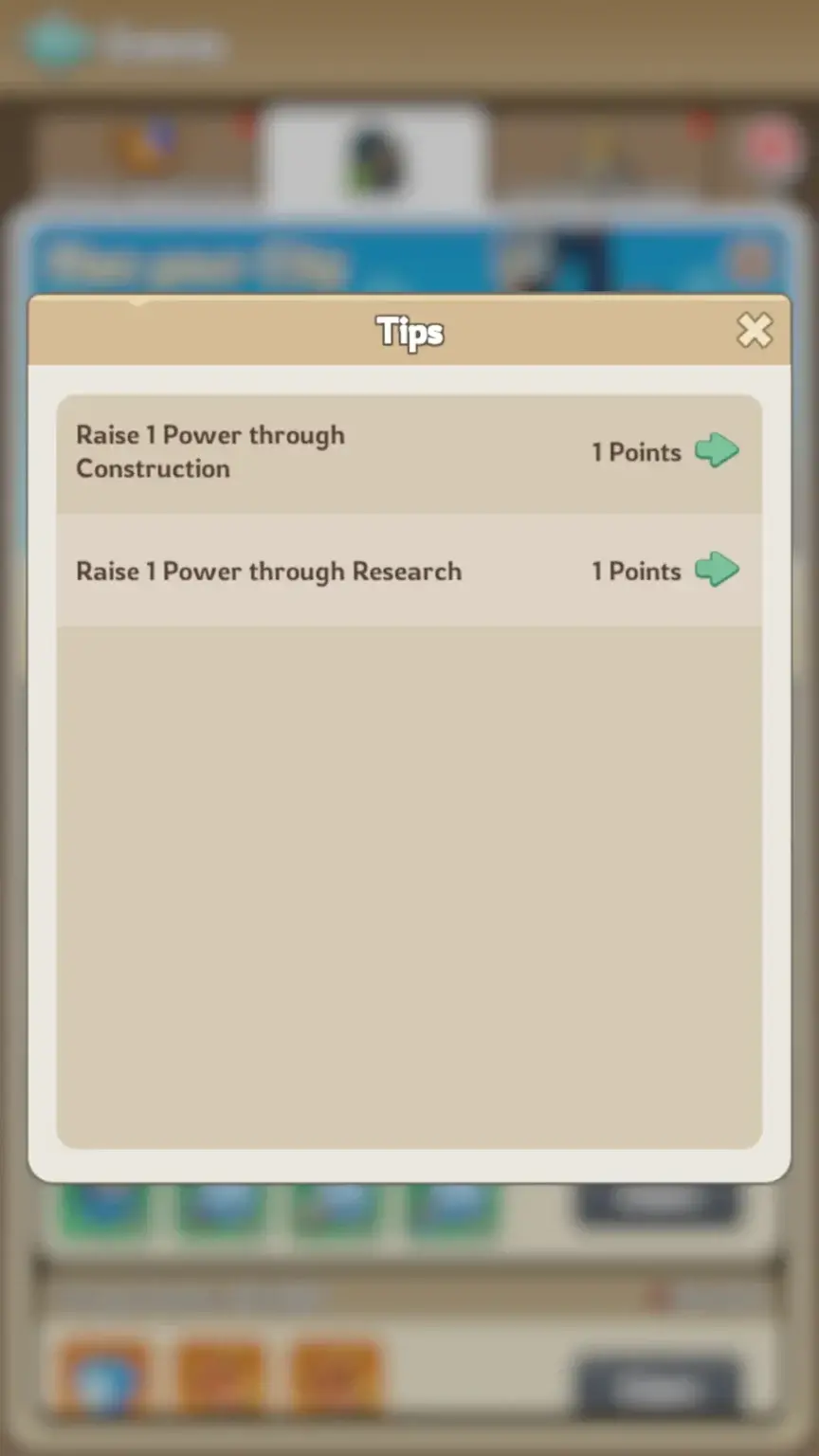
| Scoring Action | Points | Best Use |
|---|---|---|
| Gain 1 Governor Gear Score | 3 points | Highest scoring option when a useful upgrade is ready |
| Use 1 minute of Construction Speedups | 1 point | Complete useful building upgrades |
| Use 1 minute of Research Speedups | 1 point | Complete useful Academy research |
| Use 1 minute of Training or Promotion Speedups | 1 point | Train or promote troops while scoring |
Speedup Point Calculator
One minute of an eligible speedup gives one event point.
| Speedup Time Used | City Development Points |
|---|---|
| 5 minutes | 5 points |
| 1 hour | 60 points |
| 8 hours | 480 points |
| 24 hours | 1,440 points |
| 3 days | 4,320 points |
| 7 days | 10,080 points |
| 11 days, 2 hours and 40 minutes | 16,000 points |
Reaching the final milestone entirely through speedups requires 16,000 minutes. Most players should combine speedups with Governor Gear upgrades when possible.
How Governor Gear Scoring Works
Every one Governor Gear Score gained provides three City Development points.
City Development points = Governor Gear Score gained × 3
For example, an upgrade that raises the maximum Governor Gear Score by 3,000 provides:
3,000 Gear Score × 3 = 9,000 event points
This is why Governor Gear can complete a large part of the milestone track in one upgrade.
Governor Gear Point Table
The following values show the reported Gear Score increase for selected Governor Gear upgrade stages and the corresponding City Development points.
| Governor Gear Stage | Gear Score Gained | City Development Points |
|---|---|---|
| Uncommon | 1,125 | 3,375 |
| Uncommon 1-Star | 1,875 | 5,625 |
| Rare | 3,000 | 9,000 |
| Rare 1-Star | 4,500 | 13,500 |
| Rare 2-Star | 5,100 | 15,300 |
| Rare 3-Star | 5,400 | 16,200 |
| Epic | 3,230 | 9,690 |
| Epic 1-Star | 3,230 | 9,690 |
| Epic 2-Star | 3,225 | 9,675 |
| Epic 3-Star | 3,225 | 9,675 |
| Epic T1 | 3,440 | 10,320 |
| Epic T1 2-Star | 4,085 | 12,255 |
| Mythic | 6,250 | 18,750 |
Important: Check the score shown in your live Governor Gear upgrade preview. Event values can change, and the in-game screen should be treated as the final value.
Best Governor Gear Strategy
Governor Gear is normally the fastest scoring method, but only when the upgrade also improves your account.
Save the Required Materials
Depending on your current tier, Governor Gear upgrades may require:
Keep material selection chests unopened until you know which resource is preventing the planned upgrade.
Prepare an Upgrade Before the Event
Check the full material requirement and leave the upgrade ready to complete when City Development starts.
This avoids entering the event with enough Satin but insufficient Gilded Threads or Artisan’s Vision.
Do Not Upgrade Weak Priorities Only for Points
Governor Gear is permanent. The event reward rarely justifies pushing an unimportant gear piece far ahead of the rest of your set.
A balanced general priority is:
- Infantry gear
- Archer gear
- Cavalry gear
However, your actual priority should reflect your main troop formation and available set-bonus breakpoints.
Use the Upgrade to Finish the Milestone
Calculate the points from your Governor Gear upgrade first. Use speedups only for the remaining gap.
For example:
- Governor Gear upgrade: 13,500 points
- Final milestone: 16,000 points
- Remaining points: 2,500
- Required eligible speedups: 2,500 minutes, or 41 hours and 40 minutes
Best Construction Speedup Strategy
Construction Speedups provide one point per minute, regardless of the amount of Power gained by the building.
Use them on projects that support normal progression, such as:
- Town Center prerequisites
- Academy
- Embassy
- Command Center
- Barracks
- Stable
- Range
- Infirmary
Collect Alliance Help First
Do not use Construction Speedups immediately after starting an upgrade.
- Start the building upgrade.
- Request Alliance Help.
- Wait for available help to reduce the timer.
- Use speedups on the remaining time.
This preserves speedups while still generating City Development points from the time you remove manually.
Best Research Speedup Strategy
Use Research Speedups on technology that provides permanent account value.
Strong early priorities include:
- Construction Speed
- Research Speed
- Training Speed
- March Capacity
- Troop Attack
- Troop Defense
- Troop Health
- Troop Lethality
As with construction, request Alliance Help before using Research Speedups.
Avoid starting a long low-priority research project shortly before City Development begins. Keep the Academy available for a useful scoring project.
Best Training and Promotion Strategy
Training and Promotion Speedups both provide one point per minute.
Promote Lower-Tier Troops
Promotion is useful when you already have a large number of outdated troops.
Benefits include:
- Increasing the troop tier
- Improving march quality
- Using shorter promotion queues
- Generating event points through Training Speedups
Keep Every Troop Building Active
Use the Barracks, Stable, and Range together. Prepare queues in all three buildings before spending Training Speedups.
Do Not Train Troops Only for Event Points
Training consumes Bread, Wood, Stone, and Iron. Stop when the milestone is complete unless additional troops or ranking points support your account goals.
How to Reach 16,000 Points
Speedup-Only Method
Use 16,000 minutes of eligible speedups.
This equals:
- 266 hours and 40 minutes
- 11 days, 2 hours and 40 minutes
Governor Gear Method
Complete a Governor Gear upgrade worth at least 5,334 Gear Score.
At three points per Gear Score:
5,334 Gear Score × 3 = 16,002 event points
Mixed Method
A mixed strategy is usually the most efficient.
| Example | Gear Points | Speedup Points | Total |
|---|---|---|---|
| Balanced plan | 9,000 | 7,000 | 16,000 |
| Gear-focused plan | 13,500 | 2,500 | 16,000 |
| Speedup-focused plan | 3,375 | 12,625 | 16,000 |
City Development Rewards
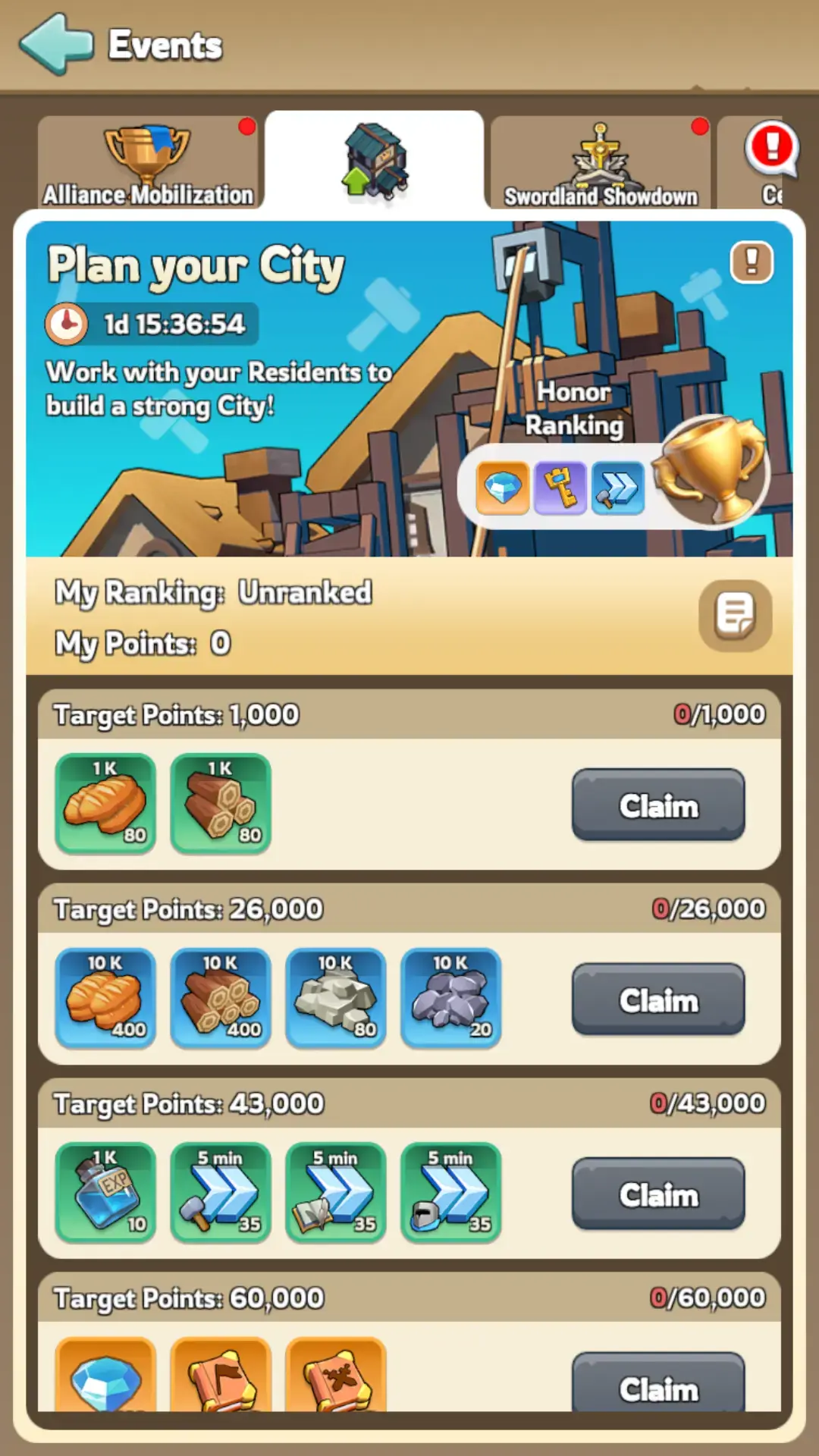
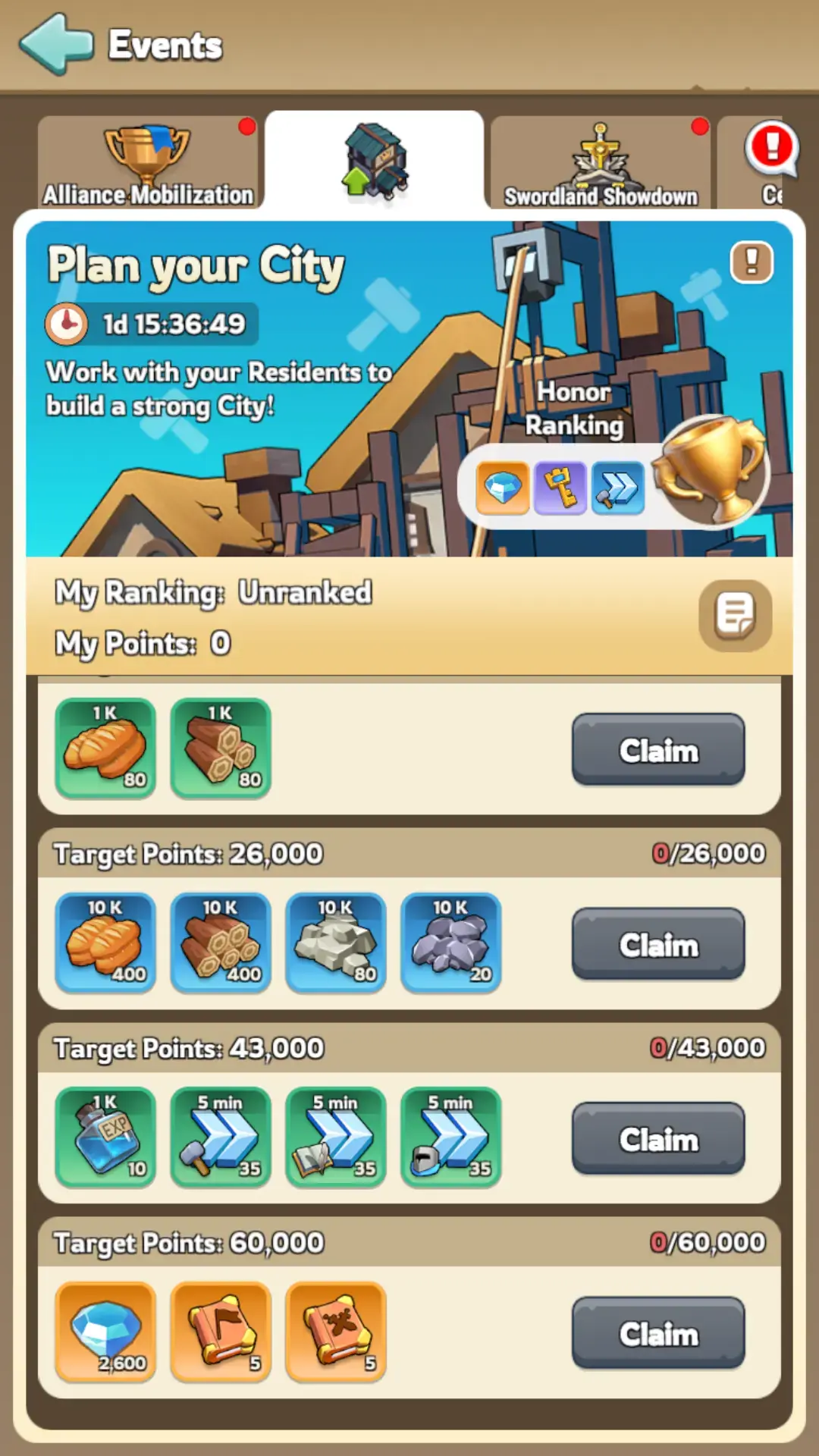
Milestone Rewards
City Development contains four milestone tiers. The final tier requires 16,000 points.
Rewards can include:
- Resources
- Speedups
- Gems
- Hero materials
- Other early account progression items
Exact reward quantities may change between kingdoms and event versions. Check the current event screen before using a large material stockpile.
Leaderboard Rewards
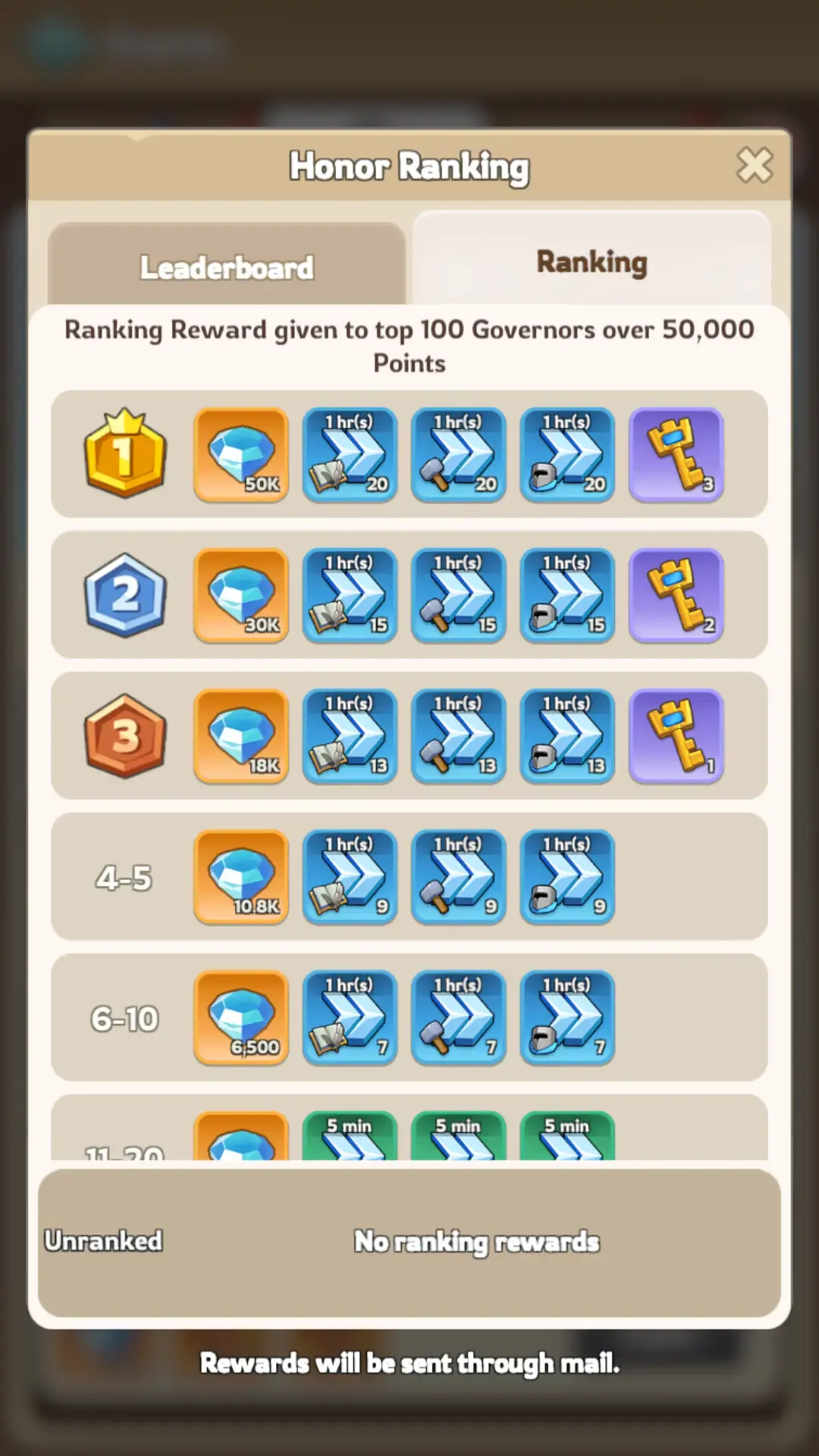
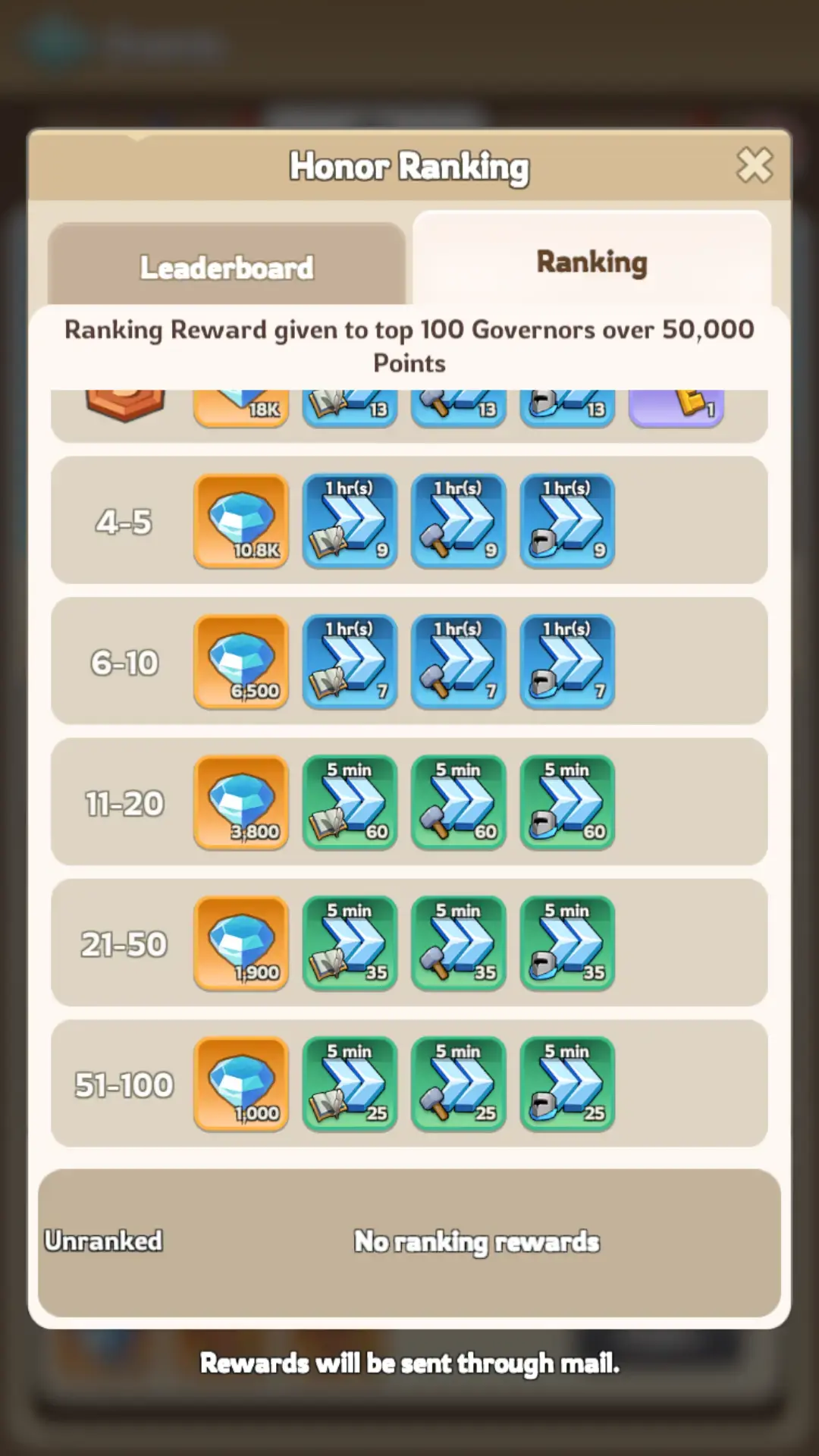
The top 100 players receive additional ranking rewards after the event ends.
These commonly include Gems and Speedups. Higher ranks receive larger quantities.
Best F2P Strategy
Before the Event
- Save Construction Speedups.
- Save Research Speedups.
- Save Training Speedups.
- Keep General Speedups for the final point gap.
- Prepare enough building and research resources.
- Save Satin, Gilded Threads, and Artisan’s Vision.
- Prepare lower-tier troops for promotion.
- Join an active alliance for fast Alliance Help.
During Day 1
- Check the current milestone and ranking rewards.
- Complete the planned Governor Gear upgrade.
- Calculate the remaining points.
- Use dedicated Construction, Research, or Training Speedups.
- Keep General Speedups until the remaining gap is clear.
During Day 2
- Complete the remaining milestone gap.
- Use General Speedups only when dedicated speedups are insufficient.
- Stop at 16,000 points unless competing for ranking.
- Save remaining materials for future events.
Should You Compete for Ranking?
For most F2P players, completing all milestones is more efficient than chasing the leaderboard.
Ranking May Be Worth It When:
- You already planned several useful upgrades.
- Your kingdom leaderboard is not highly competitive.
- You have a large saved speedup supply.
- The additional Governor Gear upgrades fit your long-term plan.
- The expected reward exceeds the value of saving the materials.
Stop at 16,000 Points When:
- The leaderboard is dominated by heavy spenders.
- You would need to upgrade low-priority Gear.
- You need speedups for a larger event.
- Your resources are running low.
- The next ranking tier requires a large additional investment.
Common City Development Mistakes
Confusing It With Plan Your City
City Development scores speedup minutes and Governor Gear. Plan Your City scores Construction and Research Power.
Using Speedups Before Alliance Help
Alliance Help reduces construction and research timers for free. Receive the available help before spending speedups.
Using General Speedups First
General Speedups are more flexible. Use dedicated Construction, Research, and Training Speedups before consuming General Speedups.
Upgrading Governor Gear Only for Points
Governor Gear upgrades are permanent. Do not push an unimportant gear piece simply to reach a temporary milestone.
Ignoring Promotion Speedups
Promoting older troops counts through Training and Promotion Speedups while also improving your army quality.
Spending Beyond the Final Milestone
Stop at 16,000 unless the leaderboard rewards justify the additional materials.
Starting Without Enough Resources
Speedups cannot complete a building, research, or troop queue that you cannot afford to start.
Waiting for a Fixed Schedule
City Development is irregular and mainly appears during early kingdom progression. Keep a reserve rather than relying on an exact return date.
Players entering an established kingdom may face large gaps in Governor Gear, buildings, research, troops, and heroes. Those comparing developed progression options can review a verified kingshot account for sale before rebuilding every early progression system from the beginning.
FAQ
What is the Kingshot City Development event?
It is a two-day early-kingdom event that awards points for using eligible speedups and increasing Governor Gear Score.
How do you earn City Development points?
You receive one point per minute of Construction, Research, or Training and Promotion Speedups, plus three points per Governor Gear Score gained.
How many points are needed to finish the event?
The fourth and final milestone requires 16,000 points.
Do General Speedups count?
They count when applied to an eligible Construction, Research, Training, or Promotion timer.
Does troop promotion count?
Yes. Speedups used to promote lower-tier troops count under the Training or Promotion category.
Is Governor Gear the fastest scoring method?
It can be. You earn three event points per Gear Score gained, so one prepared upgrade can complete a large part of the milestone track.
How often does City Development happen?
It appears irregularly several times during the early weeks of a new kingdom and may stop appearing in later generations.
Should F2P players compete for ranking?
Complete the four milestones first. Compete for ranking only when the upgrades are already useful and the rewards justify the additional cost.
Conclusion
The Kingshot City Development event rewards players for using speedups and improving Governor Gear during the early stages of a kingdom.
Construction, Research, and Training or Promotion Speedups provide one point per minute. Governor Gear provides three points for every Gear Score gained.
Prepare materials and useful upgrade projects before the event begins. Complete the Governor Gear upgrade first, calculate the remaining point gap, and then use dedicated speedups to reach 16,000 points.
Use Alliance Help before Construction or Research Speedups, promote outdated troops when possible, and keep General Speedups for the final gap.
Most players should stop after claiming the fourth milestone. Continue only when leaderboard rewards justify spending additional speedups and permanent Governor Gear materials.
For more event, progression, and strategy content, explore our Kingshot guides.