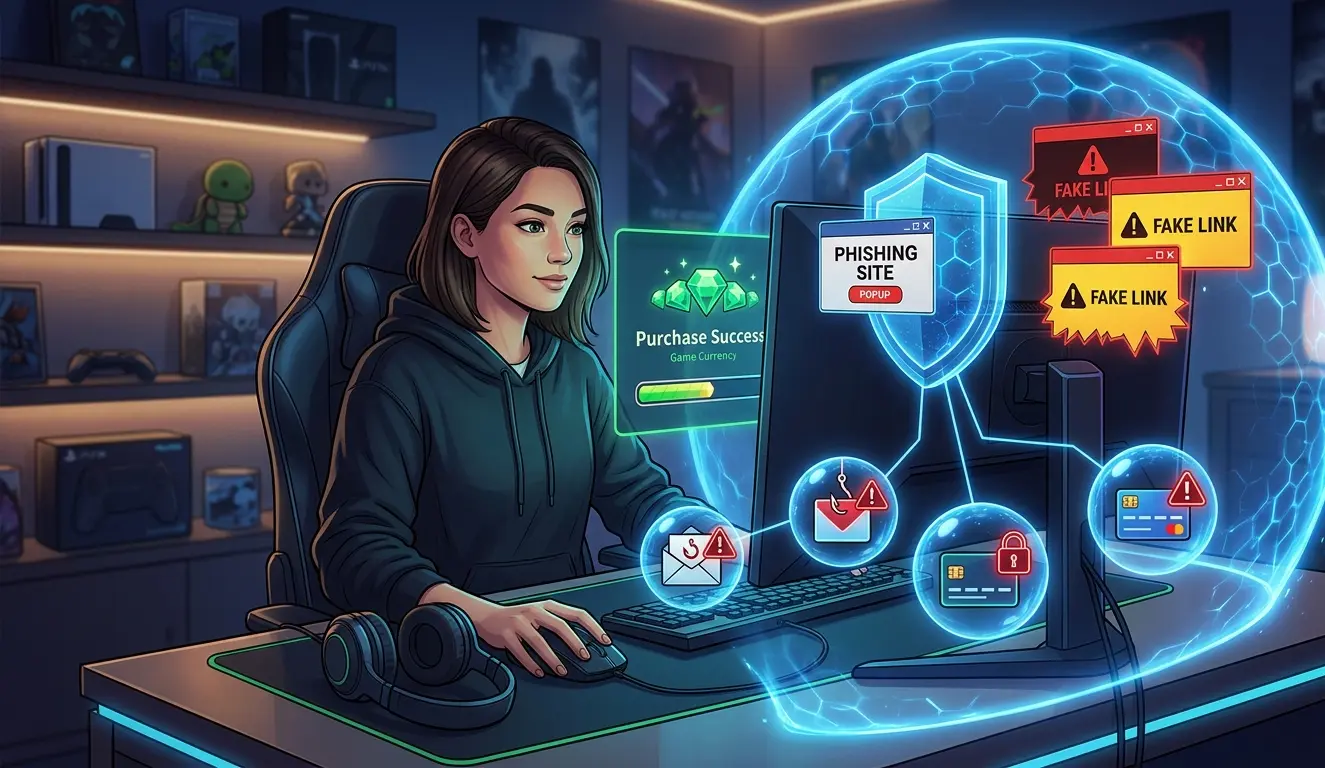
Learning how to protect your account when buying game currency is important whenever a top-up involves more than entering a player ID and making a payment.
Some game-currency delivery methods can be completed with basic account information such as a player ID, server, state, kingdom, or character name. Other methods require temporary access to the game account so the requested currency, bundle, pass, or package can be purchased directly.
When temporary access is involved, account security becomes especially important.
Your goal should not only be to receive the game currency you ordered. You should also understand what information is being shared, why it is needed, which credentials should remain private, what activity to monitor during the order, and what to check after access is no longer required.
Why Account Protection Matters When Buying Game Currency
A game account may contain months or years of progress, premium currency, purchased items, characters, cosmetics, event rewards, rankings, and other resources.
The game account may also be connected to other services such as:
- Your primary email address.
- A Google account.
- An Apple account.
- A Facebook account.
- A Steam or publisher account.
- A phone number.
- Two-factor or multi-factor authentication.
- Account recovery methods.
This means that protecting a game account is not always about protecting one password.
In some cases, the email account or platform used to sign in is even more important because it may control password resets, verification requests, recovery links, and future access to the game.
A safer top-up process therefore keeps the scope of access as narrow as possible.
Temporary access to a game should not automatically mean access to your email, payment account, cryptocurrency wallet, recovery information, or other unrelated services.
Understand Which Account You Are Actually Protecting
Before ordering a top-up, identify how you normally log in to the game.
Depending on the game, you may use:
- A dedicated game username and password.
- An email address and game-specific password.
- Google Sign-In.
- Apple Sign-In.
- Facebook.
- Steam.
- A publisher account.
- A phone number.
- Another linked platform.
This distinction matters.
Sharing a temporary password used only for one game is very different from sharing credentials to your primary email, Google account, Apple account, or another service that controls many parts of your digital life.
Before providing any account information, understand exactly which account the credentials belong to and what else those credentials can access.
Before the Top-Up: Prepare Your Account
The best time to protect your account is before temporary access begins.
A few checks beforehand can make it much easier to recognize unusual activity later.
Use a unique password
Do not reuse the same password across your game account, email account, social accounts, payment accounts, and other important services.
If the same password is used everywhere, exposure of one credential can put several accounts at risk.
A strong setup uses a different password for each important service.
A password manager can make this easier by storing unique passwords without requiring you to memorize all of them.
Secure the email connected to the game
Your linked email deserves special protection because it may be used to:
- Reset the game password.
- Receive login notifications.
- Confirm ownership.
- Approve account changes.
- Recover the account if access is lost.
Use a different password for your email account and your game account.
Do not provide your email-account password simply because your email address is also used as the username for the game.
Enable multi-factor authentication where available
If your game, email provider, publisher account, or linked platform supports multi-factor authentication, two-factor authentication, or two-step verification, consider enabling it.
This adds another security check beyond the password.
It can be especially useful if someone obtains a password but does not have access to the additional authentication method.
Review your active devices
If the game or linked platform shows active sessions or recently used devices, check the list before the top-up begins.
Knowing which devices already belong to you makes it easier to identify a new login associated with the order and to notice activity that does not match the expected process.
What Information Can a Game Top-Up Require?
Different games and delivery methods require different information.
Some top-ups may need only:
- Player ID or UID.
- Character name.
- Server.
- State or kingdom.
- Region.
- The package or currency amount you want.
Other delivery methods may require temporary access to the game account itself.
The important security principle is to provide only the information needed for the specific transaction.
Information commonly used for order identification
Depending on the game, it may be reasonable for a top-up provider to ask for information such as:
- Player ID.
- Game username.
- Character name.
- Server or region.
- State or kingdom.
- The requested bundle, package, currency, pass, or item.
These details help identify the correct account and product.
Information that should remain protected
Temporary game access does not mean every credential connected to you should be shared.
Keep the following separate unless you independently understand and verify an exceptional account-recovery situation:
- Email-account passwords.
- Banking passwords.
- Debit or credit card PINs.
- Payment-account passwords.
- Cryptocurrency wallet seed phrases.
- Cryptocurrency private keys.
- Backup authentication codes.
- Account-recovery codes.
- Passwords for unrelated services.
- Unrelated identity documents.
Temporary Login Access: What You Should Know
Temporary account access deserves the most attention because it allows another party to enter the game account while the order is being processed.
Some top-up methods operate without account login access. Others require access to complete the requested purchase.
Heaven Guardian’s top-up process requires temporary game-account login access to complete the requested order.
The access is used for processing the top-up and does not transfer ownership of your game account.
Temporary access should have a clear purpose and a clear end point.
Before providing login details, make sure:
- You reached the ordering process through the genuine Heaven Guardian website.
- You are communicating inside the official private order ticket.
- You understand which game and account are being processed.
- You understand why login access is required.
- You know which credentials are needed.
- You keep unrelated credentials private.
Never place account credentials in:
- Public Discord channels.
- Article comments.
- Public support messages.
- Reviews.
- Social-media comments.
- Community chats.
- Public screenshots.
Understand the Difference Between Login Access and Account Recovery
One of the most important security distinctions is the difference between logging into an account and changing ownership or recovery information.
A legitimate temporary login may trigger a verification message when a new device enters the account.
That does not mean every verification request should automatically be approved.
Read the message carefully.
A code intended to approve a new game login is different from a code intended to:
- Reset your password.
- Change your email address.
- Disable two-factor authentication.
- Add a recovery phone number.
- Remove a recovery method.
- Link a new external account.
- Change account ownership.
How Heaven Guardian’s Top-Up Process Works
If you use Heaven Guardian, start from the current game top up service page and use the official ordering destination linked there.
Avoid relying on an invitation or direct message sent by an unknown account.
The general process is:
- Open the official Heaven Guardian Discord. Reach it through the genuine Heaven Guardian website.
- Open a private ticket. Use the designated top-up ordering area.
- Provide the game and order details. Confirm the game, package, currency, bundle, pass, or item you want.
- Confirm the correct account. Verify the relevant player ID, character, server, state, kingdom, or region when applicable.
- Confirm the total and payment instructions. Make sure the order details are correct before paying.
- Complete the agreed payment. Follow only the instructions provided through the verified private ticket.
- Provide temporary game access privately. Do not publish credentials in a public channel.
- Allow the team to process the top-up.
- Check the account yourself after completion. Confirm the expected currency, package, pass, bundle, or item appears on the correct account.
If anything unexpectedly changes during the process, keep the conversation inside the same private ticket and verify the situation before sending additional information.
Protect Your Account While the Top-Up Is Being Processed
Account security does not stop after you send the login details.
Pay attention to activity while temporary access is active.
Keep communication inside the original private ticket
If another account contacts you separately and claims to need additional information, do not immediately trust the message.
Return to the existing private ticket and confirm the request there.
This is especially important if someone asks for:
- A new password.
- A verification code.
- An additional payment.
- A recovery code.
- A new account-linking step.
- A change to your email or phone number.
Monitor security alerts
Your game, email provider, or linked platform may send a notification when a new device logs in.
Check whether:
- The timing matches your active order.
- The account being accessed is the expected account.
- The notification describes an ordinary login.
- The activity stops when the top-up is complete.
A login alert during an expected temporary session can be normal.
A password reset, recovery change, or unexpected login after the transaction is different and should be investigated.
Do not approve unexpected account changes
A normal game top-up should not unexpectedly require transferring control of your account.
Stop and verify the situation if you receive a notification about:
- Your password being changed.
- Your email address being replaced.
- A new recovery email.
- A new recovery phone number.
- Multi-factor authentication being disabled.
- A new social account being linked.
- An existing login method being removed.
- An account-deletion request.
Protect the Email or Platform Connected to Your Game
Many game accounts depend on another account for authentication.
For example, you may enter the game through Google, Apple, Facebook, Steam, or a publisher account.
These accounts can be more sensitive than the game itself.
A Google account or Apple account may contain:
- Email.
- Photos.
- Cloud files.
- Payment information.
- Other applications.
- Other game accounts.
- Saved passwords.
Treat credentials for these accounts as high-value information.
Do not confuse an email username with an email password
Your game username may happen to be your email address.
That does not mean the top-up process needs permission to open your email inbox.
The game credential and the email-account credential should remain separate whenever the services allow it.
Protect backup codes
Backup authentication codes can sometimes bypass your normal multi-factor authentication method.
Because they are designed for account recovery, keep them private.
Do not treat a backup code like an ordinary one-time game login code.
Be cautious with new account links
If someone unexpectedly asks you to connect a new Google, Facebook, Apple, or other external account during the top-up, verify the reason first.
Adding another login method can affect who is able to access the game later.
That is a more significant action than temporarily logging in to purchase currency.
What to Do Immediately After the Top-Up
Account security should continue after the order has been completed.
The final stage should be a clean handback of the game account.
1. Confirm delivery yourself
Open the game using your own device and check that the requested currency, package, pass, bundle, or item appears on the intended account.
Do not rely only on a screenshot sent by another person.
If you provided a reusable game-specific password for temporary access, consider replacing it after the order is complete.
Use a new unique password rather than switching back to a password you also use somewhere else.
3. Review active devices and sessions
If the game or linked platform allows you to view active sessions, check the list.
Remove or sign out sessions you no longer need when the platform provides that option.
4. Check recovery settings
Confirm that important account settings remain correct.
Review:
- Your email address.
- Your linked phone number.
- Recovery email addresses.
- Linked login accounts.
- Multi-factor authentication settings.
- Backup authentication methods.
You are checking for unexpected changes, not changing settings unnecessarily.
5. Review security notifications
Look at the notifications generated while the top-up was taking place.
Make sure they match the expected login activity.
Investigate anything that continues after temporary access should have ended.
6. Keep your order information temporarily
Keep the private ticket, payment confirmation, and relevant order details until you have confirmed that the top-up is complete and the account is working normally.
Security Alerts You Should Take Seriously
Not every account notification means something is wrong.
However, certain notifications deserve immediate attention.
Unexpected password reset
If you receive a password-reset request that you did not initiate, do not provide the reset code.
Review the account’s security settings and active sessions.
Email address changed
An unexpected email-address change can affect your ability to recover the account.
If this happens without your approval, use the game’s legitimate account-recovery process immediately.
Multi-factor authentication disabled
If MFA was turned off without your permission, re-secure the account and investigate how the change occurred.
New recovery phone or email
Recovery information can affect future ownership of the account.
Treat an unauthorized change as a serious security event.
Unexpected login after the order is finished
A login during an expected temporary-access window may correspond to the top-up.
A new login after the transaction has ended is different.
Review active sessions and change the relevant password if necessary.
What to Do If Something Looks Wrong
If you notice unusual activity, act quickly.
Recommended steps include:
- Stop providing additional account information.
- Change the affected password through the legitimate game or platform.
- Secure your linked email if you believe it may also be exposed.
- Review active devices and sign out unfamiliar sessions.
- Check that multi-factor authentication remains enabled.
- Review recovery email addresses and phone numbers.
- Check linked social or platform accounts.
- Review recent purchases.
- Contact the game’s official support service if you cannot regain control.
- Contact Heaven Guardian through the original private ticket if the issue relates to an active order.
Do not continue responding through a suspicious message just because the sender claims to represent support.
If the problem began after opening an unexpected website or login page, read our separate guide on how to spot phishing links when buying game currency online.
Account Security Is Different From Choosing a Trusted Provider
Account protection and seller verification are related, but they are not the same topic.
This guide focuses on protecting the account itself when a top-up involves account information or temporary access.
If you are still deciding which service to use, read our separate guide on how to choose a trusted top-up service.
Keeping these topics separate helps you evaluate two different questions:
- Is this provider trustworthy enough to use?
- How should I protect my account during the transaction?
Both matter, but they require different checks.
Account Security Is Also Different From Payment Security
Your game account and your payment account should remain separate.
A top-up may require payment, but it should not require you to hand over passwords or recovery information for the payment service itself.
You should authorize your own payment through the agreed method.
For more information about transaction protection and the differences between payment methods, see our guide on why secure payment matters when buying game currency online.
Game Currency Account Protection Checklist
Use this checklist before, during, and after a top-up involving account access.
Before ordering
- Confirm how your game account is linked.
- Use a unique password for the game.
- Use a different password for your email account.
- Enable multi-factor authentication where available.
- Review existing active sessions when possible.
- Confirm which game account will receive the top-up.
- Understand why temporary access is required.
- Reach Heaven Guardian through the official website.
- Use only the official private ordering ticket.
During the top-up
- Keep the conversation inside the original private ticket.
- Share only information needed for the order.
- Never post credentials publicly.
- Keep your email-account password private.
- Keep banking and payment-account passwords private.
- Never share cryptocurrency seed phrases or private keys.
- Keep recovery and backup codes private.
- Read verification messages before approving them.
- Do not approve unexpected password or recovery changes.
- Stop and verify anything that does not match the expected order process.
After the top-up
- Open the game and verify the purchase yourself.
- Confirm that delivery went to the correct account.
- Change temporary reusable credentials where appropriate.
- Review active sessions.
- Check account-recovery information.
- Confirm multi-factor authentication is still enabled.
- Review security notifications.
- Keep the order ticket until completion is confirmed.
- Investigate any unexplained login after the order has finished.
FAQs
How can I protect my account when buying game currency?
Use unique passwords, protect your linked email or platform account, enable multi-factor authentication where available, share only information needed for the transaction, provide temporary game login details only through the official private ordering channel, monitor security alerts, and review the account again after the top-up is complete.
Does Heaven Guardian require temporary login access?
Yes. Heaven Guardian’s top-up process requires temporary access to the game account so the requested top-up can be completed.
Provide the required login information only through the official private ordering process.
Heaven Guardian states that account information is handled securely and is not stored.
Should I give a top-up provider my email password?
Your email-account password should remain separate from normal temporary game access.
Your email often controls password resets, account recovery, and security notifications, so protect it independently.
Should I change my password after a game top-up?
If you provided a reusable game-specific password for temporary access, changing it after the top-up is complete is a sensible account-security step.
Use another unique password rather than reusing a password from your email or another service.
Can a top-up provider ask for a verification code?
A new game login can sometimes trigger a verification request.
Before providing or approving anything, read the message carefully and confirm that it authorizes the exact login you are expecting.
Do not provide account-recovery codes or approve password resets, email changes, MFA removal, or other unexpected security modifications.
Treat these accounts as highly sensitive because they may control far more than one game.
If your game uses a linked identity provider, understand exactly what access the order requires before sharing information.
Do not casually provide recovery credentials or master-account information.
Do not casually share your email password, banking password, payment-account password, card PIN, cryptocurrency seed phrase, wallet private key, backup authentication code, or unrelated recovery credentials.
These are not normal game top-up details.
What should I do if I receive a password-reset notification during a top-up?
Do not approve the reset unless you personally requested it and understand why it is happening.
An ordinary login verification and a password reset are different security actions.
If the reset is unexpected, stop and secure the account.
What should I do if I see an unfamiliar login after the top-up?
Review your active sessions, change the affected password, confirm that your recovery information and multi-factor authentication settings remain correct, and contact the relevant game or platform through its official support service if you suspect unauthorized access.
Is a player ID enough for a game currency top-up?
It depends on the game and delivery method.
Some top-ups can be completed with a player ID, server, state, kingdom, region, or character information.
Other top-up methods require temporary access to the game account.
Confirm the requirements for the specific game before ordering.
Where should I send my Heaven Guardian account details?
Provide required account information only through the official private ordering channel reached through Heaven Guardian’s genuine website.
Do not publish game credentials in public Discord channels, comments, reviews, social-media posts, or public support conversations.
Conclusion
Knowing how to protect your account when buying game currency means controlling exactly what access you provide and what happens to the account while that access is active.
Protect the game account with unique credentials, keep your linked email and recovery information separate, enable additional authentication where available, and provide only the information required for the top-up.
When temporary game access is necessary, use the verified private ordering channel and pay attention to login notifications, verification requests, and unexpected account changes.
After the top-up is complete, open the game yourself, confirm delivery, review active sessions, check recovery information, and make sure temporary access has ended.
The goal is not only to receive the currency, bundle, pass, package, or item you purchased.
The goal is to complete the transaction while keeping long-term control of your game account.
For more game-specific ordering and account-access information, visit our latest game top-up guides.