Secure payment for game currency involves more than checking whether a website uses HTTPS. Before paying, you also need to confirm who operates the service, what you are buying, which account will receive it, what information the seller requires, and what protections apply to your chosen payment method.
This guide explains how to buy game currency online more safely, what information to verify before payment, how direct purchases differ from third-party top-ups, and how to handle situations where temporary account access is required.
Packages, prices, bonuses, supported regions, payment methods, and account requirements can change. Always check the current in-game store or service information before completing a purchase.
Why Secure Payment for Game Currency Matters
Buying diamonds, gems, coins, passes, bundles, or other digital items involves two separate checks: the payment must go to the intended recipient, and the purchased content must reach the intended game account.
HTTPS helps protect information while it travels between your browser and a website. However, an encrypted connection does not prove that the business itself is genuine, that a promotion is legitimate, or that you selected the correct account and package.
A careful game-currency purchase therefore depends on several factors:
- Seller verification: Confirm that the website, Discord server, support account, or in-game store belongs to the service you intended to use.
- Product accuracy: Check the game, currency, bundle, package, quantity, platform, and any regional restrictions.
- Account accuracy: Verify the player, character, server, kingdom, state, region, or other identifier used by that particular game.
- Payment clarity: Confirm the payment recipient, billing currency, fees, conversion costs, and final amount before sending money.
- Account-access control: Understand whether the order uses only a public game identifier or requires temporary account access.
- Order records: Keep the ticket conversation, payment confirmation, package details, and other information needed to trace the order.
Important: A secure browser connection protects data in transit. It does not independently prove that a seller, promotion, payment request, or game-currency offer is trustworthy.
How to Buy Game Currency Online Safely
The safest approach starts before money or account information changes hands. Use the following checks whether you purchase directly through a game, through an official publisher store, or through an independent top-up provider.
- Confirm the seller or store. Open an official game store through a verified game or publisher channel. For an independent provider, make sure you are using the correct website and official support community rather than a copycat page or private impersonator.
- Check the exact website address. Look for misspellings, substituted characters, unexpected subdomains, and suspicious links sent through unsolicited messages.
- Identify exactly what you are buying. Confirm the game, currency, package, bundle, pass, denomination, platform, and any region or account restrictions.
- Understand the delivery method. Some top-ups use a player or character identifier. Other services may need temporary access to the game account to complete the purchase.
- Confirm the destination account. Recheck the player ID, character, server, state, kingdom, region, or other identifier relevant to the game.
- Review the payment method. Check the recipient, payment type, fees, conversion costs, and any buyer-protection limitations before paying.
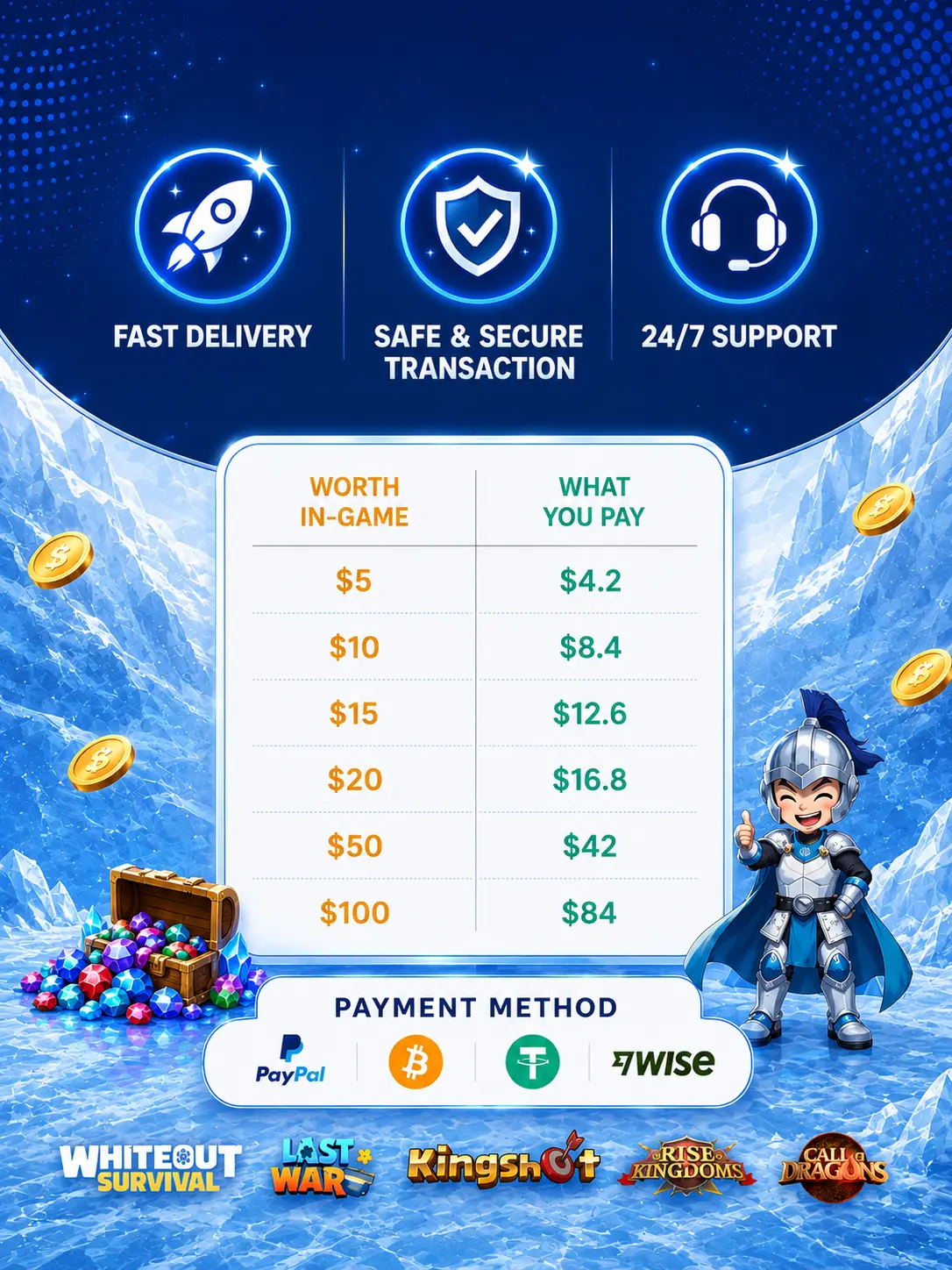
- Confirm the final price. Do not rely only on a promotional graphic or an old screenshot. Use the current quoted total.
- Keep a transaction record. Save the order conversation, package information, payment confirmation, and any transaction or reference number.
What Account Information Can a Game Top-Up Require?
There is no universal set of account information for every game or every top-up method. The information needed depends on how the game identifies accounts and how the provider completes the purchase.
An ID-based service might ask for a player ID, character ID, server, kingdom, state, region, or character name. An access-based service may instead require temporary login information so that the requested package can be purchased on the correct account.
| Information | Possible use | How to handle it |
|---|---|---|
| Player or character identifier | Identifies the destination account for games that support ID-based delivery | Copy it directly from the game and verify every digit |
| Server, state, kingdom, or region | Distinguishes characters or accounts using the same game | Confirm it before payment when the game requires it |
| Temporary game login | Allows an access-based top-up service to complete the requested order | Provide it only through the verified private ordering process when the service documents that it is required |
| Separate email or payment password | Not normally needed to identify a game account | Do not provide unrelated email, banking, payment-platform, or wallet passwords |
| Recovery phrase or private key | Controls recovery or ownership of an account or cryptocurrency wallet | Do not provide it |
| One-time or recovery code | May authorize account access or another sensitive action | Do not share it casually. Only follow an explicitly verified account-access step when genuinely required, and never provide payment-account authentication codes to a seller |
Temporary login may be required: Heaven Guardian’s current FAQ and Top Up Guide state that some top-up orders may require temporary login access. When required, provide it only through the official private ordering process. Heaven Guardian states that account information is handled securely and is not stored. Temporary access is for completing the requested order and does not mean that account ownership is being transferred.
Never post login details in article comments, public Discord channels, social media posts, reviews, or other public spaces. Also avoid sending unrelated information such as a banking password, payment-account password, cryptocurrency wallet seed phrase, private key, or separate email-account password.
How Heaven Guardian’s Game Top-Up Ordering Process Works
Heaven Guardian uses a Discord ticket process rather than an invented automated checkout form. If you are considering the service, review the current supported games and requirements through its game top up service page before ordering. Confirm the game, account, server or region where relevant, package, quoted price, and currently accepted payment method.
Heaven Guardian is an independent top-up service and should not be confused with a game developer, publisher, platform owner, or official in-game store.
- Open the official Heaven Guardian Discord. Use the Discord destination linked through Heaven Guardian’s official website rather than an invitation sent by an unknown account.
- Open a private ticket. Use the designated buy-top-up or top-up channel.
- State the game and package you want. Provide enough information for the team to identify the requested top-up.
- Confirm the order details. Recheck the correct game account, relevant server or region, package, price, and current payment method before sending payment.
- Complete the agreed payment. Follow the instructions provided in the verified ticket.
- Provide temporary game access if your order requires it. Keep account-access information inside the private ordering channel rather than sending it publicly.
- Allow the order to be processed. Heaven Guardian currently says most top-ups are completed within approximately 5–30 minutes after payment confirmation, but this is an estimated range rather than a guaranteed completion time.
- Check the correct account. Confirm that the intended currency, package, bundle, pass, or item appeared on the correct character or account.
- Keep the ticket open if there is a problem. If the order is delayed, incomplete, or appears on the wrong account, contact support in the same verified conversation before attempting another payment.
Current Heaven Guardian Payment Methods
Heaven Guardian’s current Game Top Up FAQ lists cryptocurrency and PayPal Friends & Family. Payment availability may change, so confirm the accepted method and recipient in the private ticket before transferring funds.
It is also important to understand the payment method itself. PayPal treats Friends & Family differently from eligible Goods & Services purchases, and Friends & Family payments do not receive standard PayPal Purchase Protection. Cryptocurrency payments can also be difficult to reverse after funds are transferred.
For that reason, do not assume that the payment provider will automatically reverse an incorrect or disputed transaction. Verify the recipient, amount, currency, network where applicable, and order details before paying.
How Long Does a Heaven Guardian Top-Up Take?
The current FAQ says most orders are completed within approximately 5–30 minutes after payment confirmation. This should be treated as an estimated processing range rather than an instant-delivery guarantee.
Processing may take longer during busy periods or when an order needs additional payment confirmation, account verification, game access, package confirmation, or troubleshooting. Game maintenance and other conditions outside the service’s control may also affect completion.
What If the Order Cannot Be Completed?
Heaven Guardian’s current FAQ states that delayed or uncompleted top-ups are covered by its published refund guarantee. This is Heaven Guardian’s service policy rather than a guarantee from a game publisher or payment provider.
If an order cannot be completed, contact Heaven Guardian support through the verified order ticket and allow the specific case to be reviewed. Do not assume that every situation automatically qualifies for the same resolution, and do not rely on PayPal Friends & Family as standard commercial purchase protection.
What a Secure Game-Currency Purchase Process Should Show
Whether the transaction happens through a conventional checkout or through a private top-up ticket, you should understand what you are buying and what will happen after payment.
| Detail | What to confirm | Reason to pause |
|---|---|---|
| Seller | Correct website and verified support channel | Payment instructions arrive from an unrelated or unverifiable account |
| Product | Game, package, denomination, platform, and relevant restrictions | The product changes after you agree to buy it |
| Account | Player, character, server, state, kingdom, or region where applicable | The seller cannot explain which account information is required |
| Access | Whether the method is ID-based or needs temporary login | Credentials are requested publicly or outside the documented private process |
| Price | Quoted total, currency, fees, and conversion costs | The payment request is materially different from the agreed price |
| Payment | Correct method, recipient, and applicable payment protections | Pressure to pay a different recipient without explanation |
| Support | A verified way to report an incomplete or incorrect order | The seller disappears after payment or refuses to provide order information |
Why Urgency Can Lead to Game Top-Up Mistakes
Game-currency purchases often happen around limited-time events, bundle rotations, ranking periods, new releases, or other time-sensitive content. That urgency can make it tempting to send payment before checking every detail.
Legitimate game promotions can have real deadlines. However, a deadline does not remove the need to confirm the seller, package, account, payment method, and final amount.
Be particularly careful when somebody creates artificial pressure through unsolicited messages, unexpected payment-address changes, extremely short deadlines, or demands for a second payment before you can independently check the first transaction.
Common Game-Currency Payment Warning Signs
A request deserves additional verification when one or more of these warning signs appear:
- The website closely imitates another company but uses a different domain.
- The price is dramatically below comparable offers without a clear explanation.
- A supposed support representative contacts you from an account that cannot be verified.
- You are asked to move an existing order into an unrelated private conversation.
- The requested payment recipient unexpectedly changes.
- The seller wants your banking password, payment-platform password, wallet seed phrase, private key, or separate email password.
- Temporary game login is requested even though the service has not documented why it is needed or asks you to post it publicly.
- The package, game, platform, region, or account destination is unclear.
- The amount requested is different from the agreed total.
- You are told to pay again immediately without independently checking whether the first payment was completed.
- The offer relies on a currency generator, exploit, modified app, stolen payment method, or regional-payment bypass.
For more examples of fake websites, impersonation, phishing offers, duplicate-payment tricks, and unrealistic discounts, see Common Top Up Scams and How to Avoid Them.
Third-Party Top-Up or Direct In-Game Purchase?
A direct purchase normally takes place inside the game, through the publisher, or through the platform’s established billing environment. The products shown there are tied to the game version and account being used.
A third-party top-up is handled by an independent provider. Depending on the provider and game, delivery may use a public player identifier or temporary account access. Packages, payment methods, pricing, and regional availability can differ from what appears directly inside the game.
Neither option should be evaluated on price alone. Compare:
- who operates the purchase process;
- whether the game, platform, and region are supported;
- which account details or temporary access are required;
- which payment methods are accepted;
- what payment protections apply;
- how order problems are handled;
- whether the purchase complies with the applicable game and platform rules.
The guide to Third-Party Top Up Service VS Direct In-Game Purchase covers these differences in more detail.
What to Do When Game Currency Does Not Appear
If the balance, bundle, or item does not appear immediately, avoid making a second payment until you know what happened to the original order.
- Check the payment status. Determine whether the transaction is completed, pending, declined, reversed, or duplicated.
- Review the agreed order. Compare the game, package, price, account, server or region, and payment information with what you intended to purchase.
- Open the correct game account. Players with multiple characters, servers, regions, or linked accounts can accidentally check the wrong profile.
- Refresh or restart the game. A newly purchased balance or item may not appear until the game reconnects.
- Contact the provider through the verified support channel. Keep the original ticket or order conversation whenever possible.
- Provide appropriate proof. A transaction ID or safely redacted payment confirmation is usually more appropriate than exposing unrelated financial information.
- Contact the game or platform when relevant. For a direct in-game purchase or platform-billing problem, official game or platform support may be the correct escalation path.
Do not send a full card number, card PIN, banking password, payment-account password, cryptocurrency wallet recovery phrase, or private key as proof of payment.
What Players Should Check Before Paying
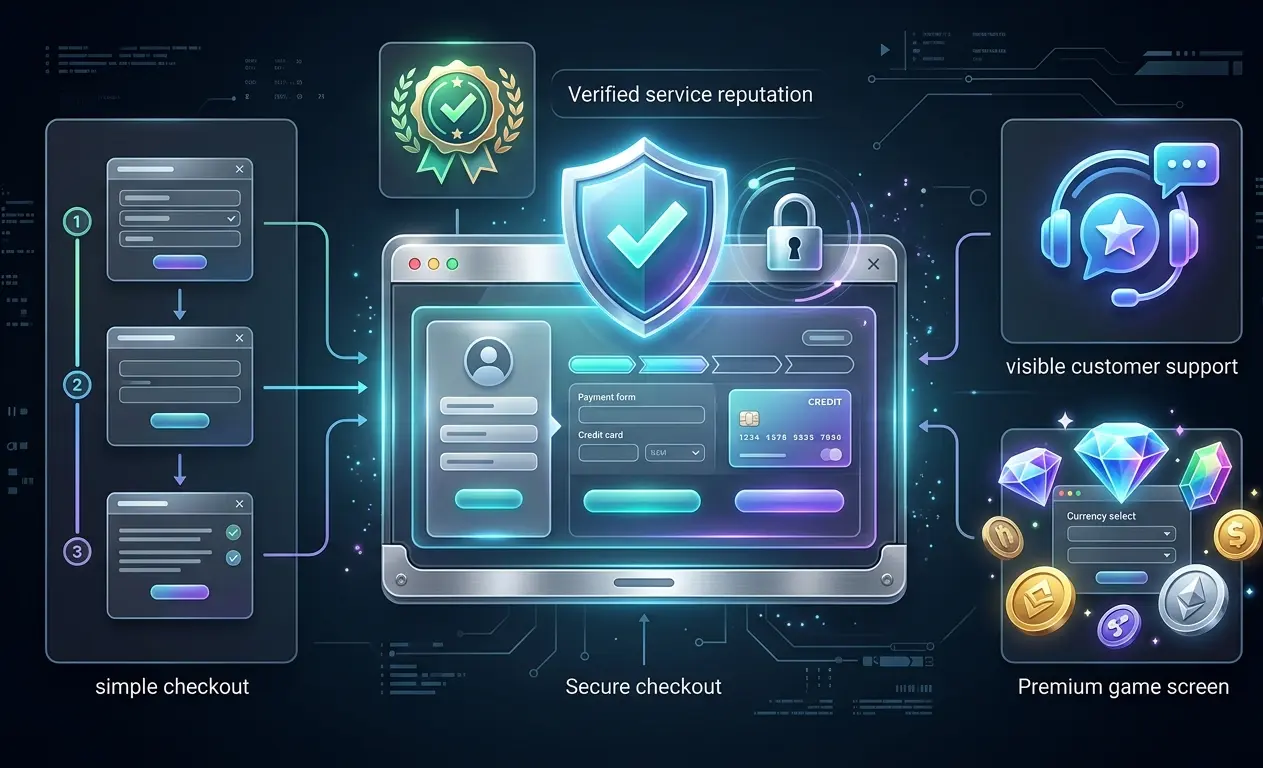
Use this checklist before completing a game-currency purchase:
- Website: Are you on the correct domain?
- Support: Are you communicating with the verified service channel?
- Game: Is the package for the correct game and platform?
- Account: Have you verified the correct player, character, server, kingdom, state, or region?
- Package: Is the currency, bundle, pass, or item clearly identified?
- Promotion: Are bonus conditions and expiration dates current?
- Price: Have you confirmed the final amount and billing currency?
- Payment: Do you understand the selected payment method and its limitations?
- Access: Do you know whether the order is ID-based or requires temporary login?
- Credentials: Are any required game-login details being shared only through the verified private process?
- Sensitive information: Have you kept unrelated passwords, payment credentials, recovery phrases, and private keys out of the transaction?
- Evidence: Can you retain the order conversation and proof of payment?
If an important detail is inconsistent or unclear, verify it before sending payment or temporary account information.
FAQ
What does “gaming secure payment” mean?
Gaming secure payment means using both technical and practical safeguards when paying for game currency or digital items. It includes using a secure connection, verifying the seller, checking the product and destination account, understanding the payment method, and keeping an order record.
HTTPS alone does not establish that a website or seller is trustworthy.
Where can I buy gaming currency safely?
Start with the in-game store, the game developer or publisher’s confirmed channels, or another service whose identity, order process, payment methods, account requirements, and support channels you have independently verified.
For third-party services, also determine whether the provider uses player-ID delivery or temporary account access before ordering.
Does Heaven Guardian require temporary login access?
Heaven Guardian’s current FAQ says some top-up services may require temporary login access, and its Top Up Guide states that temporary access may be required to complete a top-up. Requirements can therefore depend on the particular order.
If access is required, provide the requested game-login information only through the official private ordering process. Heaven Guardian states that account information is handled securely and is not stored.
Should I send my game password to a top-up provider?
That depends on the documented delivery method. An ID-based top-up may need only a public player or character identifier, while an access-based order may legitimately require temporary game-account login information.
Do not send credentials publicly, and do not provide unrelated email, banking, payment-account, or cryptocurrency-wallet passwords. Recovery phrases and private keys should not be provided to a top-up seller.
Which payment methods does Heaven Guardian currently accept?
The current Heaven Guardian FAQ lists cryptocurrency and PayPal Friends & Family. Accepted payment methods can change, so confirm the current option and recipient before sending money.
PayPal Friends & Family does not provide standard PayPal Purchase Protection for purchases. Cryptocurrency transfers may also be difficult to reverse, making recipient and amount verification particularly important.
How long does a Heaven Guardian game top-up usually take?
Heaven Guardian currently states that most top-ups are completed within approximately 5–30 minutes after payment confirmation. This is an estimated range rather than a guaranteed delivery time.
Busy periods, payment confirmation, login verification, account-access problems, game maintenance, or other order-specific conditions may cause delays.
What should I do if my top-up does not appear?
Check the payment status, correct game account, server or region, and package first. Refresh the game and then contact the verified support channel using the original order information.
Avoid paying a second time until the status of the first transaction has been confirmed.
Are game-currency packages and bonuses the same everywhere?
No. Packages, prices, payment options, regional availability, first-purchase bonuses, and temporary promotions can vary by game, platform, account, region, and promotion period.
Check the current in-game store and current ordering information instead of relying on an old screenshot, price list, or promotion.
Conclusion
Secure payment for game currency depends on more than the payment page itself. Verify who you are paying, what you are buying, which account will receive it, and what information the chosen delivery method requires.
Before submitting an order, confirm the game, player or character, server or region, package, final price, payment method, and payment recipient. If temporary game access is required, provide it only through the verified private ordering channel and keep unrelated financial, email, recovery, and wallet credentials private.
Finally, keep the original order conversation and payment record until the correct currency, bundle, pass, or item appears. If something is delayed or incorrect, investigate the first transaction before paying again.
For more account-access guidance, payment information, scam-prevention advice, and game-specific recharge instructions, explore our collection of game top-up guides.