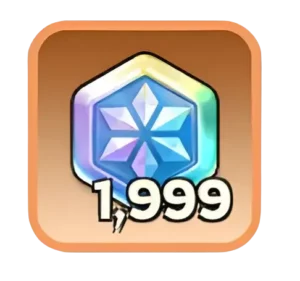
Whiteout Survival Frost Stars are paid tokens that players can use to purchase eligible packs and deals inside the game. They provide a flexible way to add funds to an account before deciding which pack to buy.
However, Frost Stars do not directly upgrade buildings, heroes, troops, or Chief Gear. Their value depends entirely on the packs you purchase with them. Choosing the right packs is therefore more important than simply holding a large Frost Star balance.
This guide explains what Frost Stars are, how to obtain and use them safely, how event credit works, and which spending habits generally provide better long-term value.
Key point: Frost Stars are a payment token for eligible in-game packs. They are not the same as Gems and cannot replace the materials required for upgrades unless those materials are included in a pack you purchase.
What Are Frost Stars in Whiteout Survival?
Frost Stars are a form of stored-value currency connected to your Whiteout Survival account. The game describes them as a universal currency that can be used to purchase packs.
When an eligible pack has a listed monetary value, the game may allow you to pay the corresponding amount with your available Frost Stars. This gives you the flexibility to top up first and choose a pack later.
It is important to distinguish Frost Stars from other currencies and resources:
- Frost Stars are mainly used as payment for eligible packs.
- Gems are an in-game currency earned or purchased through various game systems.
- Resources such as Meat, Wood, Coal, and Iron are used for city development.
- Upgrade materials are used for specific systems such as heroes, Chief Gear, Charms, pets, or Fire Crystal progression.
Frost Stars only become progression materials when you spend them on a pack containing the items you need.
How to Get Frost Stars in Whiteout Survival
The safest method is to use the official Century Games store or an authorized Whiteout Survival top-up service available in your country, such as Midasbuy in supported regions.
The exact selection, price, payment method, and promotional offer may vary by region. Always confirm the details shown on the checkout page before paying.
How to Purchase Frost Stars
- Open an official or authorized store. Avoid websites that cannot clearly demonstrate their connection to Whiteout Survival.
- Copy your Player ID. Find the correct ID from your in-game profile instead of typing it from memory.
- Enter the Player ID carefully. Confirm the displayed character information when the store provides a verification screen.
- Select a Frost Star amount. Review the quantity, price, currency, taxes, and any purchase limits.
- Choose a payment method. Available methods depend on your country and the store you are using.
- Complete the transaction. Keep the order number or payment receipt until the Frost Stars arrive.
- Check your game account. Delivery may appear through in-game mail or update after restarting the game.
Account security warning:
A normal Player ID top-up should not require your game password, email password, Facebook login, Google login, or Apple account credentials. Leave the website immediately if a seller asks for sensitive login information.
What to Do If the Frost Stars Do Not Arrive
Delivery may not always appear instantly. Before attempting another purchase, take the following steps:
- Restart Whiteout Survival.
- Check your in-game mailbox.
- Confirm that the payment was completed rather than left pending.
- Verify that you entered the correct Player ID.
- Save screenshots of the order and payment confirmation.
- Contact the store or official game support with the order number.
Do not immediately repeat the transaction, as this could result in an accidental duplicate purchase.
Do Frost Star Purchases Count Toward Top-Up Events?
This is one of the most important Frost Star rules to understand.
Purchasing Frost Stars through the official web store does not necessarily count as progress toward Top-up Benefits or gem-pack purchase events. The Frost Star purchase adds stored value to your account, but it is not always treated as an in-game pack purchase.
However, when you later use those Frost Stars to purchase an eligible pack inside the game, that pack purchase may count toward relevant top-up benefits or purchase-event objectives according to the event’s current rules.
Before spending: Open the current event panel and read the scoring conditions. Event requirements can change, and not every transaction or pack category is guaranteed to award progress.
A practical approach is to avoid spending Frost Stars until you have confirmed all three of the following:
- The pack contains materials your account currently needs.
- The purchase is eligible for any event progress you are targeting.
- The event is active before you complete the pack purchase.
How to Use Frost Stars
Once Frost Stars have been added to your account, open the in-game store and select an eligible pack. If your Frost Star balance covers the price, the game should provide the appropriate Frost Star payment option.
The exact checkout screen may differ according to device, region, game version, or store configuration. When your balance is insufficient, the game may offer another payment method or direct you to a standard purchase screen.
Check These Details Before Confirming a Pack
- Pack contents: Confirm the amount and type of every important material.
- Purchase limits: Check whether the pack is available once, daily, weekly, or during a limited event.
- Account bottleneck: Buy materials that solve your current progression problem.
- Event eligibility: Verify whether the purchase contributes to an active objective.
- Frost Star balance: Make sure the displayed amount is deducted correctly.
Do not judge a pack only by its promotional value percentage. The advertised percentage is less useful when most of the contents do not support your current goal.
Whiteout Survival Frost Star Spending Guide
The best Frost Star purchase is different for every account. A new Chief may benefit from convenience and development support, while a competitive account may need highly specific materials for an event or upgrade milestone.
Use the following priorities as a general framework rather than a fixed shopping list.
| Pack Type | General Priority | Best Used When | Main Concern |
|---|---|---|---|
| Recurring value packs | High for consistent players | You log in regularly enough to claim the full value | Missed daily claims reduce their usefulness |
| Scarce upgrade-material packs | High when targeted | One specific system is blocking your progression | Materials may lose priority as your account develops |
| Event progression packs | Situational | You are close to a useful milestone or ranking objective | Spending without a realistic target can become expensive |
| Basic resource packs | Usually lower | Resources are urgently needed for a timed milestone | Many basic resources can be gathered or produced normally |
| Cosmetic packs | Personal preference | You value the appearance or confirmed permanent bonuses | Cosmetics may provide less immediate progression |
Frost Star Strategy for Newer Players
Newer players should prioritize purchases that remain useful beyond a single day. Avoid buying several unrelated packs simply because they are inexpensive.
Before spending, identify your largest limitation:
- Slow construction or research progress.
- Insufficient hero development materials.
- Limited stamina or event participation resources.
- A specific city or troop milestone.
- Difficulty completing daily or weekly progression goals.
Select a pack that directly addresses the limitation instead of dividing Frost Stars across many small purchases.
Frost Star Strategy for Competitive Players
Competitive players should begin with a defined objective. That objective might be reaching an event milestone, finishing an upgrade, strengthening a key hero generation, or preparing for alliance competition.
Estimate what you already have before buying anything. Include inventory items, unopened chests, scheduled event rewards, alliance rewards, and materials you can earn before the deadline.
Only purchase the remaining amount needed to reach a realistic objective. Spending far beyond the next meaningful milestone often produces weaker value.
Set a Spending Limit Before Opening the Store
Frost Stars can make several small purchases feel less noticeable because the payment was completed earlier. To avoid overspending, decide on a maximum budget before adding Frost Stars to the account.
- Choose a monthly or event-based limit.
- Do not increase the limit to chase a ranking position.
- Record larger purchases.
- Ignore time-limited offers that do not fit your account plan.
- Stop after reaching the intended milestone.
Can You Gift Frost Stars to Another Player?
Frost Stars are not normally moved directly from one player’s existing balance to another through the standard in-game interface.
Some authorized top-up pages may allow a buyer to enter another player’s correct Player ID or purchase supported gift packs. Availability and procedures can vary by country, storefront, and current promotion.
Before paying for another player, confirm:
- The complete Player ID.
- The character name shown by the store.
- The correct state or account identity.
- The exact Frost Star quantity or gift-pack contents.
- Whether the transaction can be corrected if the wrong ID is entered.
Important: Never ask another player for their account password when sending a supported top-up. A Player ID should be sufficient for legitimate UID-based delivery.
Common Frost Star Mistakes to Avoid
Confusing Frost Stars With Gems
Frost Stars and Gems serve different purposes. Do not purchase Frost Stars expecting them to appear as an equal number of Gems unless a specific offer clearly includes Gems.
Assuming the Initial Top-Up Awards Event Points
Adding Frost Stars and purchasing an in-game pack are separate actions. Check whether the pack purchase, rather than the initial Frost Star transaction, triggers the event credit you want.
Entering the Wrong Player ID
A single incorrect digit can send the purchase to the wrong account. Copy the ID directly from the game and verify the character information before paying.
Using an Unverified Seller
A lower price does not compensate for the risk of fraudulent payments, chargebacks, stolen account details, or failed delivery. Use official or clearly authorized channels.
Buying Resources You Can Obtain Normally
Basic resources may solve an immediate shortage, but they often provide weaker long-term value than scarce upgrade materials. Gather, produce, or obtain resources from normal activities whenever the deadline allows it.
Chasing Rankings Without a Limit
Leaderboard positions can change quickly. Do not assume one additional pack will secure a rank, especially when other players can continue spending until the event closes.
Comparing Frost Star Spending With Other Progression Options
Returning players sometimes compare spending on a young city with joining friends through an already-developed account. When evaluating a wos account for sale, review the state number, Furnace or Fire Crystal level, hero generation, Chief Gear, Charms, pets, transfer eligibility, account binding, and security arrangements before deciding whether it suits your progression goal.
Neither approach is automatically better. Continuing your current city preserves its history and relationships, while another progression route may only make sense when it matches your target state and alliance.
FAQ
What are Frost Stars used for in Whiteout Survival?
Frost Stars are used as a payment token for eligible in-game packs and deals. They do not directly upgrade your city or heroes until you spend them on a pack containing the necessary materials.
How do you get Frost Stars in Whiteout Survival?
You can purchase them through the official Century Games store or an authorized top-up service supported in your region. The process normally requires your Player ID and a valid payment method.
Are Frost Stars the same as Gems?
No. Frost Stars are mainly used to pay for eligible packs, while Gems are a separate in-game currency used across various gameplay systems and shop options.
Can you earn Frost Stars for free?
Frost Stars are generally associated with paid top-ups. Temporary promotions or store rewards may vary, so check the current official store and in-game notices rather than assuming a permanent free source exists.
Do Frost Star top-ups count toward purchase events?
The initial purchase of Frost Stars may not count toward Top-up Benefits or gem-pack purchase events. Using Frost Stars to buy an eligible in-game pack may count according to the current event rules. Check the event panel before spending.
Can you send Frost Stars to a friend?
You generally cannot transfer an existing Frost Star balance directly. However, some authorized storefronts may support top-ups or gift packs for another player by using the recipient’s correct Player ID.
What happens if you do not have enough Frost Stars for a pack?
The checkout may offer another supported payment option or direct you to the normal purchase screen. The exact behavior can vary by device, region, and game version.
What are the best packs to buy with Frost Stars?
The best pack is one that solves a specific progression bottleneck and helps you reach a useful milestone. Recurring-value packs and scarce upgrade materials often deserve consideration before basic resources, but the right choice depends on your account and current events.
Conclusion
Whiteout Survival Frost Stars are best understood as flexible payment tokens for eligible packs rather than a direct upgrade resource. Their usefulness depends on what you purchase and whether the contents support your current objective.
Always use an official or authorized purchase channel, copy your Player ID carefully, and keep your account passwords private. Check the in-game event conditions before spending because adding Frost Stars and purchasing a pack may be treated as separate transactions.
For better value, identify your account’s main bottleneck, calculate what you still need, and select the smallest suitable purchase that reaches a meaningful milestone. A clear budget and progression plan are more useful than buying packs based only on promotional percentages.
For more currency explanations, progression advice, and practical gameplay strategies, explore our collection of Whiteout Survival guides.