
Radar Missions in Last War are recurring tasks that provide resources, progression items, Drone materials, and valuable points for events such as Alliance Duel and Arms Race. The individual tasks are usually simple, but efficient Radar management depends on understanding refreshes, storage, stamina costs, and when to leave completed missions unclaimed.
The most important technique is Radar stacking. Complete missions before they expire, leave the finished missions showing their red-dot collection marker, and claim them later when Radar Missions award Alliance Duel points. At the same time, perform stamina-consuming missions during an Arms Race Drone Boost phase when you want the stamina expenditure to score there.
Radar Missions refresh on a six-hour cycle. Complete active missions before their individual timers expire, but do not automatically collect the red-dot rewards. Stacking completed missions lets you save their collection for Alliance Duel scoring days. Keep at least one storage slot open so the Radar refresh timer continues running.
How Radar Missions Work
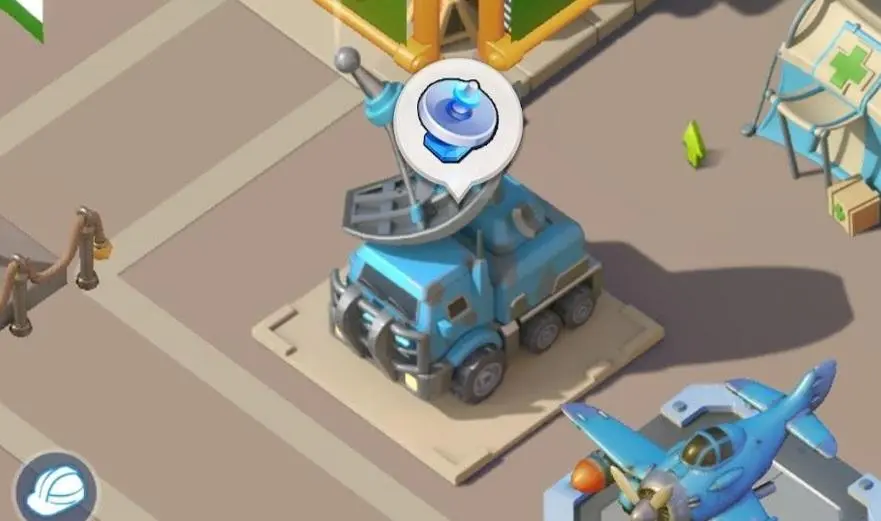
The Radar screen contains two closely connected parts: missions currently visible on the map and the Radar’s stored mission queue.
| Radar Element | How It Works |
|---|---|
| Visible Missions | Tasks displayed on the Radar map that can be completed or collected. |
| Stored Missions | Additional missions held by the Radar until space becomes available on the map. |
| Refresh Timer | Adds another batch of missions every six hours while storage has room. |
| Mission Timer | Active missions have a limited period in which you must perform their required action. |
| Red Dot | Shows that the mission has been completed and its reward is ready to collect. |
The number of missions generated, the storage maximum, and the number visible at one time depend on your Radar level. For example, a level 8 Radar can store 35 missions and receives 10 additional missions per six-hour refresh.
Your Radar level progresses as you complete enough missions at the current level. Higher Radar levels increase its capacity and mission generation, making regular Radar activity increasingly valuable over the life of an account.
Radar Storage and the Most Important Rule
The storage counter near the top of the Radar screen shows your current stored missions against your maximum capacity. A display such as 34/35 means your storage is one mission away from being full.
The important detail is that the missions currently visible on the Radar map are separate from this stored counter.
If storage reaches its maximum, the Radar refresh countdown stops. This means you begin losing potential mission generation until you free space and allow the timer to restart.
When stacking, aim for one mission below your storage maximum. If your capacity is 35, stop around 34/35. Reaching 35/35 stops the refresh timer, which can cost you future missions.
What Is Radar Mission Stacking?
Radar stacking means completing missions without collecting their rewards. A completed mission changes to a red-dot state and can remain ready to claim while you build a larger collection of missions for a scoring event.
This is different from simply ignoring an active mission. An unfinished mission has its own countdown and can disappear if you fail to act before that timer expires.
How to Stack Radar Missions
- Open the Radar and complete the active missions on your map.
- When a mission shows a red dot, leave it uncollected.
- Allow the next six-hour mission refresh to add more missions to storage.
- Continue completing active missions while leaving their finished rewards untouched.
- Watch the storage counter and stay below the maximum.
- Collect the stacked red-dot missions when the relevant Alliance Duel scoring period begins.
If your storage is approaching its limit before the event begins, collect enough missions to create space for the next refresh. Preserving the Radar’s six-hour generation cycle is usually more important than holding every possible mission.
Radar Mission Types

Radar tasks include both free activities and missions that consume stamina. Knowing the difference helps you decide which tasks should be completed immediately and which should be aligned with the Arms Race Drone Boost phase.
| Mission Type | Required Action | Stamina |
|---|---|---|
| Survivor | Locate and rescue a survivor | No |
| Fighting Rebels | Attack a rebel base until the objective is complete | Yes |
| Elite Kill | Defeat the marked elite enemy | 20 |
| Resource Pickup | Collect the marked resource reward | No |
| Mining Task | Send troops to gather from the designated location | No |
| Assist Ally | Send aid for an alliance-related objective | 10 |
| Dig Up Treasure | Send a squad to excavate the treasure location | No |
| Monica’s Plan | Complete the special combat objective | No |
| Doom Walker | Defeat a Doom Walker through a rally | 20 to start; joining another rally can avoid the stamina cost |
| Drone Parts | Send troops to retrieve Drone-related materials | No |
The exact selection of missions you see is random and can expand as your Radar progresses. Seasonal content or future updates may also change available tasks, so the live mission description should always take priority.
Radar Mission Rewards
Radar Missions are worth completing even when no competitive event is active because they feed several important progression systems.
Depending on the task, rewards can include:
- Food, Iron, and Gold
- Hero EXP
- Drone Parts and other Drone materials
- Recruitment-related items
- Resource chests
- Other progression materials
- Alliance Duel points when collected during an eligible scoring day
Reward quality and available missions improve as the Radar develops, which makes consistent mission completion valuable over the long term.
Radar Missions and Alliance Duel
Radar Missions are especially important during Alliance Duel, or VS. Under the standard weekly format, collecting completed Radar Missions awards points on Days 1, 3, and 5.
| Preparation Period | Collection Day |
|---|---|
| Sunday | Monday – VS Day 1 |
| Tuesday | Wednesday – VS Day 3 |
| Thursday | Friday – VS Day 5 |
A practical routine is to begin stacking during the evening before each Radar-scoring day. Complete the visible missions, leave the red dots untouched, and allow your storage to build while keeping one slot below its maximum.
When the new VS day begins, wait until the scoring tasks are active and then collect the completed missions. Event schedules can change with updates, so confirm that Radar Missions are listed as a scoring action before emptying a large stack.
Stack shortly before Monday, Wednesday, and Friday rather than holding Radar Missions for several days. This gives you enough missions for VS scoring without keeping your Radar storage near capacity longer than necessary.
Radar Missions and Arms Race Drone Boost
Radar Missions also work well with the Drone Boost phase of Arms Race because several mission types consume stamina.
The important distinction is that Arms Race rewards the stamina expenditure. Therefore, the useful action is completing stamina-consuming Radar objectives while Drone Boost is active. Simply collecting an old red-dot mission does not retroactively move the original stamina spending into the current phase.
This creates an efficient two-event strategy:
- Wait for a Drone Boost phase when convenient.
- Use stamina to complete eligible Radar combat missions during that phase.
- Leave the completed missions showing their red dots.
- Collect those missions later when Alliance Duel awards Radar Mission points.
This lets one Radar task contribute to Arms Race through stamina use and later contribute to VS through mission collection.
Doom Walker Stamina Tip
If your goal is to conserve stamina, a Doom Walker Radar mission can be completed by joining another player’s qualifying rally rather than starting your own. Starting the rally consumes stamina, while joining can complete the Radar objective without that cost.
Which option is better depends on your goal. During Drone Boost you may deliberately want to spend stamina; outside that phase, joining can be more efficient.
Best Daily Radar Strategy
- Check the Radar each login. Do not allow active mission timers to expire unnecessarily.
- Complete free missions first. Resource pickups, survivors, treasures, and similar missions provide rewards without consuming stamina.
- Plan stamina missions around Arms Race. Save them for Drone Boost when the timing works.
- Watch the six-hour refresh. Knowing when the next batch arrives helps prevent storage overflow.
- Stack before VS scoring days. Leave completed red-dot missions unclaimed.
- Never sit at maximum storage. Create space before the next refresh.
- Collect when the event is active. Verify the current VS tasks before claiming a large stack.
- Keep completing missions regularly. Radar progression itself depends on mission completions.
Should You Upgrade the Radar?
Radar progression is valuable because higher levels increase how many missions are generated, how many can be stored, and how many can be displayed at once. More missions mean more resources and greater stacking potential for events.
Unlike a normal building that you repeatedly level with construction resources, the Radar advances through its own mission-completion progression. The Radar screen shows your current progress toward the next level.
This makes regular Radar activity self-reinforcing: completing missions provides rewards now while also improving how productive the system becomes later.
Common Radar Mission Mistakes
- Letting storage reach maximum: The six-hour refresh timer stops until space is created.
- Ignoring active mission timers: Unfinished tasks can expire before you complete them.
- Collecting every red dot instantly: This gives up an easy source of Alliance Duel preparation.
- Stacking too early: Holding a nearly full Radar for days can reduce total mission generation.
- Spending stamina before Drone Boost: Combat Radar tasks can contribute to Arms Race if performed during the correct phase.
- Confusing completing with collecting: Stamina scoring happens when you perform the stamina-consuming action, while VS Radar scoring is tied to collecting eligible completed missions.
- Starting every Doom Walker rally yourself: Joining another rally can complete the objective while conserving stamina.
- Ignoring Radar progression: Regular mission completion improves future mission capacity and generation.
Optional Faster Starting Point
Players who prefer starting from a more developed position can browse Last War accounts for sale on Heaven Guardian. When comparing accounts, check overall progression, Radar level, heroes, Drone development, server stage, and alliance situation rather than relying only on total displayed power.
FAQs
How often do Radar Missions refresh?
New Radar Missions are added on a six-hour refresh cycle. The number added depends on your Radar level.
What happens when Radar storage is full?
The refresh timer stops when storage reaches its maximum. Free at least one slot to restart mission generation.
What does the red dot on a Radar Mission mean?
A red dot means the mission has already been completed and its reward is ready to collect. Leaving these missions unclaimed is the basis of Radar stacking.
Do active Radar Missions expire?
Yes. Missions that still require an action have a countdown, commonly around eight hours. Complete them before that timer ends. Once a task has been completed and becomes a red-dot reward, it can be held for later collection under the current Radar system.
What is the best number of Radar Missions to store?
Keep your storage below its maximum. For example, if your capacity is 35, 34/35 keeps the refresh timer running while giving you a large stack.
Which Alliance Duel days give Radar Mission points?
Under the standard VS schedule, Radar Mission collections score on Days 1, 3, and 5. Verify the current event task list before collecting because event schedules can change.
Do Radar Missions give Arms Race points?
Stamina-consuming Radar Missions can contribute during the Arms Race Drone Boost phase because that phase awards points for stamina use. Spend the stamina while Drone Boost is active rather than relying on collecting missions completed earlier.
How can I save stamina on a Doom Walker Radar Mission?
Join another player’s Doom Walker rally instead of starting the rally yourself. A qualifying rally can complete the mission without requiring you to pay the stamina cost for launching it.
How do I increase my Radar level?
Complete the required number of Radar Missions shown in the Radar’s level-progress tracker. Reaching the requirement advances the Radar and improves its mission-related capabilities.
Conclusion
The key to this Last War Radar Missions guide is separating mission completion from reward collection. Finish active tasks before their timers expire, but stack completed red-dot missions before Alliance Duel scoring days instead of claiming everything immediately.
Keep your storage one slot below maximum, monitor the six-hour refresh timer, and use stamina-heavy missions during Arms Race Drone Boost whenever the schedules line up. Managed correctly, Radar Missions become a steady source of resources, Drone materials, and event points without requiring additional resources beyond activities you were already going to complete.
For more event strategies, progression advice, and resource-management tips, explore our additional Last War Survival guides.