
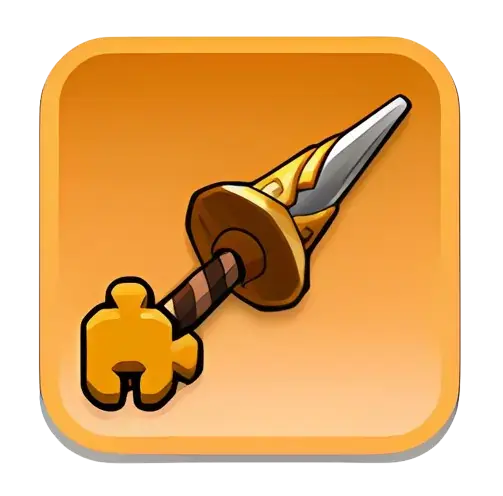
Kingshot Widgets are hero-specific materials used to unlock and upgrade Hero Exclusive Gear for Mythic heroes. Exclusive Gear has ten levels and requires 275 Widgets to reach Level 10. Level 1 costs 5 Widgets, while Level 10 costs the final 50. Invest in heroes that you expect to use for a long time rather than dividing Custom Widget Chests evenly across several heroes.
A Kingshot Widget is connected to a Mythic hero’s unique Exclusive Gear. Widgets unlock additional skills, strengthen hero-specific bonuses, and increase both Conquest and Expedition performance.
However, Widgets are among the most limited hero-development materials in the game. Each hero uses a specific Widget, and fully upgrading one Exclusive Gear requires 275 of them.
This guide explains how Widgets work, the exact level costs, what the “Use 1 Widget” event task means, where Widgets come from, how Custom Hero Widget Chests work, and which heroes should receive your resources first.
What Is a Widget in Kingshot?
The word “Widget” is commonly used for two related parts of the same system:
- Hero Exclusive Gear: The unique additional equipment slot belonging to a specific Mythic hero.
- Widget material: The hero-specific item consumed to unlock and upgrade that Exclusive Gear.
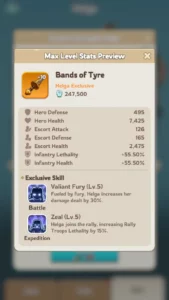
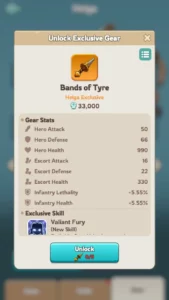
For example, a Mythic hero may have a named piece of Exclusive Gear with unique Conquest and Expedition effects. Upgrading that gear requires the Widget assigned to that hero or an eligible Custom Hero Widget Chest.
Widgets do not replace normal Hero Gear. Instead, they create another hero-specific progression layer.
When Do Widgets Unlock?
Hero Gear and Hero Exclusive Gear become accessible once the account reaches Town Center Level 15.
Additional requirements include:
- The hero must be Mythic quality.
- The hero must have its own Hero Exclusive Gear.
- You must own enough of that hero’s specific Widgets or an eligible Custom Widget Chest.
- The hero must be unlocked on your account.
Epic and Rare heroes do not use the Mythic Hero Exclusive Gear Widget system.
Widget vs Hero Gear vs Forgehammer
| System | What It Upgrades | Main Materials |
|---|---|---|
| Hero Gear Enhancement | Normal equipment pieces used by heroes | Enhancement XP Parts and spare Hero Gear |
| Mastery Forging | Mastery level of Mythic Hero Gear | Forgehammers |
| Hero Exclusive Gear | A Mythic hero’s unique extra gear and skills | Hero-specific Widgets or eligible Custom Widget Chests |
| Gear Ascension and Imbuement | Later progression for qualifying Hero Gear | Mythic Gear and Mithril |
A Forgehammer cannot replace a Widget. Similarly, a Custom Hero Widget Chest cannot upgrade normal Hero Gear Enhancement or Mastery Forging.
How Many Widgets Are Needed to Max a Hero?
You need a total of 275 Widgets to upgrade one hero’s Exclusive Gear from locked to Level 10.
| Target Widget Level | Widgets Required for That Upgrade | Cumulative Widgets Required |
|---|---|---|
| Level 1 | 5 | 5 |
| Level 2 | 10 | 15 |
| Level 3 | 15 | 30 |
| Level 4 | 20 | 50 |
| Level 5 | 25 | 75 |
| Level 6 | 30 | 105 |
| Level 7 | 35 | 140 |
| Level 8 | 40 | 180 |
| Level 9 | 45 | 225 |
| Level 10 | 50 | 275 |
Important: The final upgrade costs 50 Widgets, but the complete journey from locked gear to Level 10 costs 275.
Widget Cost Calculator
Use this calculation to determine the remaining requirement:
Widgets still needed = Cumulative target cost − Widgets already invested − Usable Widgets owned
Example: Level 4 to Level 6
Level 4 has a cumulative cost of 50 Widgets. Level 6 requires 105 total.
105 − 50 = 55 additional Widgets
Those 55 consist of:
- 25 Widgets for Level 5
- 30 Widgets for Level 6
Example: Level 8 to Level 10
Level 8 requires 180 cumulative Widgets, while Level 10 requires 275.
275 − 180 = 95 additional Widgets
The final two levels are expensive. Do not begin this push unless the hero remains part of your long-term rally, garrison, or main-march plan.
What Does Each Widget Level Unlock?
The exact effects depend on the hero and the name of their Exclusive Gear. However, the general progression works as follows:
| Level Range | Typical Benefit | Investment Question |
|---|---|---|
| Level 1 | Unlocks the Exclusive Gear and commonly adds its exclusive Conquest effect | Do you actively use this hero in Conquest or Arena? |
| Level 2 | Commonly unlocks the Exclusive Expedition effect | Does the effect match your rally or garrison role? |
| Levels 3–5 | Improves Exclusive Gear statistics and skill values | Will the hero remain useful into the next generation? |
| Levels 6–8 | Expensive late progression with stronger multiplicative bonuses | Is this one of your account’s main specialist heroes? |
| Levels 9–10 | Maximum Exclusive Gear effects and statistics | Is the final 95-Widget cost better than starting another key hero? |
Always inspect the hero’s Exclusive Gear preview before upgrading. Not every hero gains equal value from the same Widget level.
How Widget Bonuses Work
Many normal Kingshot bonuses are additive. Widget Expedition statistics can instead act as multiplicative factors on the hero’s applicable base statistics.
Simple example
Suppose a formation has 125% Lethality before a 15% multiplicative Widget effect.
125% × 1.15 = 143.75%
An additive 15 percentage points would produce 140%. The multiplicative result becomes stronger as the underlying account statistic increases.
This is why Widgets can remain relevant even after the hero is no longer new. However, the bonus must activate in the correct role.
Offensive vs Defensive Widgets
Hero Exclusive Gear Expedition effects usually belong to an offensive or defensive combat role.
| Widget Role | Typical Activation | Does It Activate When Joining? |
|---|---|---|
| Offensive or Rally Widget | The owner leads an eligible rally with the hero | Generally no |
| Defensive or Defender Widget | The hero defends an eligible rallyable structure or garrison | Not as a normal rally member |
| Conquest Widget Skill | Conquest or Arena-style hero combat | Not an Expedition joiner effect |
A powerful rally Widget provides little Expedition value if you never lead rallies. Likewise, a defensive Widget may be a poor priority for an account that does not lead garrisons or defend structures.
How to Use a Widget in Kingshot
- Open the Hero menu.
- Select an unlocked Mythic hero.
- Open the hero’s Exclusive Gear or Widget panel.
- Review the next level’s skill and stat improvements.
- Confirm that you own the hero-specific Widgets or an eligible Custom Chest.
- Select Upgrade.
- Confirm the Widget consumption.
The upgrade consumes the number of Widgets shown for that level. It cannot normally be reversed or transferred to another hero.
What Does “Use 1 Widget of Any Hero Exclusive Gear” Mean?
This event task means that you must consume a Widget by upgrading a Mythic hero’s Exclusive Gear.
The following actions do not complete the task by themselves:
- Owning a Widget
- Obtaining a Widget from an event
- Opening a Custom Hero Widget Chest
- Viewing the Exclusive Gear screen
- Enhancing normal Hero Gear
- Using a Forgehammer
Instead, open eligible Hero Exclusive Gear and complete an upgrade that consumes Widgets.
How many event actions does one upgrade count?
The task counts the number of Widgets consumed, not merely the number of times the Upgrade button is pressed.
For example:
- Unlocking Level 1 consumes 5 Widgets.
- Upgrading to Level 2 consumes 10 Widgets.
- Upgrading to Level 5 consumes 25 Widgets.
If an event awards points for each Widget used, multiply the event’s per-Widget value by the number consumed in the upgrade.
Before upgrading: Open the active event and confirm its current scoring. Point values may differ between Officer Project, Kingdom of Power, and future events.
Widget Event Point Examples
| Event | Published Points per Widget | Points From a 5-Widget Upgrade |
|---|---|---|
| Officer Project | 12,000 | 60,000 |
| Kingdom of Power Preparation | 8,000 | 40,000 |
Event overlap can make a planned Exclusive Gear upgrade more efficient. However, do not upgrade an unimportant hero solely to collect temporary event points.
Hero-Specific Widgets vs Custom Widget Chests
Hero-specific Widget
A hero-specific Widget can only be used on that hero’s Exclusive Gear. It cannot be converted to a different hero after acquisition.
Custom Hero Widget Chest
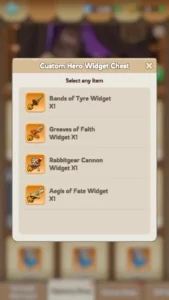
A Custom Hero Widget Chest allows you to choose one Widget from the heroes listed in the chest description.
However, these chests are not universally compatible with every hero.
| Chest Type | Eligible Heroes |
|---|---|
| Generation 1 Custom Chest | Generation 1 heroes listed in that chest |
| Generation 2 Custom Chest | Zoe, Hilde, and Marlin |
| Generation 3 Custom Chest | Eric, Petra, and Jaeger |
| Generation 4 Custom Chest | Margot, Rosa, and Alcar |
| Generation 5 Custom Chest | Long Fei, Thrud, and Vivian |
| Generation 6 Custom Chest | Triton, Sophia, and Yang |
Always open the chest description before selecting a hero. A chest for one generation cannot normally be saved and converted into a later-generation chest.
Should you open Custom Widget Chests immediately?
Keep a Custom Chest unopened when:
- You have not chosen your main hero from that generation.
- You are waiting to see which hero reaches a usable star level.
- You are unsure whether your account will lead rallies or garrisons.
- The current generation will soon be replaced in your main formation.
Open it when the chosen hero has a clear long-term role and the selected Widgets reach a useful upgrade level.
Where to Get Widgets
Buccaneer Bounty
Buccaneer Bounty can provide Custom Hero Widget Chests through its event shop. Available Widgets generally correspond to the relevant kingdom generation.
Keys can be saved between event appearances, while temporary event currency should be used before it expires.
Mystery Shop
Hero-specific Widgets or Custom Widget options may appear in the Mystery Shop.
The inventory is not guaranteed, so check refreshes carefully. Do not spend heavily on refreshes unless the desired Widget would complete a meaningful upgrade.
Hall of Heroes
Later kingdom generations may add Widgets or Widget-related items to Hall of Heroes shops. Available stock depends on the current generation and event version.
Champagne Fair
Champagne Fair can offer Custom Hero Widget Chests in exchange for Fair Vouchers. The event lets players convert eligible excess hero items into shop currency.
Special events
Widgets and Custom Widget Chests may appear in milestone rewards, ranking rewards, seasonal shops, and other limited events.
Packs and Exclusive Gear funds
Paid packs and Exclusive Gear-related funds may include Widgets. Contents can vary by generation, account progression, and current offer.
Before purchasing, verify:
- The hero or generation covered by the pack
- The total number of Widgets
- Whether they are hero-specific or selectable
- The exact target level they allow you to reach
- Whether the hero remains part of your long-term lineup
Should You Buy Widgets From the Mystery Shop?
Widgets can be a strong Mystery Shop purchase because they are difficult to obtain and hero-specific. However, not every offer is worth taking.
Buy or consider buying when:
- The Widget belongs to your main long-term hero.
- The purchase completes Level 1 or Level 2.
- You are close to an important later level.
- The hero leads your main rallies or garrisons.
- The cost fits your planned gem or shop-currency budget.
Skip the offer when:
- The Widget belongs to a hero you do not use.
- You have not unlocked the hero.
- The hero will soon leave your main lineup.
- You are splitting resources across too many heroes.
- A more important shop item is currently limiting progression.
Best Widget Upgrade Priority
There is no universal best Widget for every account. The correct choice depends on role, accessibility, star level, and how long the hero will remain useful.
Priority 1: Main rally leader
Offensive players should prioritize a Widget that activates when leading their main rally. A rally-specific Widget has little value when attached to a hero that never starts rallies.
Priority 2: Main garrison leader
Defensive accounts should prioritize the hero used to defend Castle, structures, and other rallyable objectives.
Priority 3: Main Conquest or Arena hero
A strong Exclusive Conquest skill can justify Level 1 even when the hero is not yet a permanent Expedition leader.
Priority 4: Long-term hybrid hero
Some heroes remain useful across several modes or generations. These heroes may provide better Widget value than a short-lived specialist.
Lower priority: temporary or low-star hero
A powerful Widget cannot fully compensate for a hero with insufficient stars, weak base skills, or no place in the main formation.
Recommended F2P Widget Strategy
- Choose one main hero from the relevant generation.
- Confirm that the hero has enough stars to remain useful.
- Use hero-specific Widgets before opening flexible Custom Chests.
- Consider Level 1 for an important Exclusive Conquest skill.
- Consider Level 2 when the Expedition effect matches your role.
- Evaluate the next level before every additional investment.
- Avoid dividing Custom Chests evenly between all three heroes.
- Save Widgets for Officer Project or Kingdom of Power when the delay does not harm progression.
- Stop before expensive later levels when the hero will soon be replaced.
- Reserve Level 10 for a proven long-term hero.
Useful F2P stopping points
| Target | Cumulative Cost | Best Use Case |
|---|---|---|
| Level 1 | 5 Widgets | Unlocking a useful Exclusive Conquest effect |
| Level 2 | 15 Widgets | Accessing a useful rally or garrison effect |
| Level 5 | 75 Widgets | Developing a strong medium-term specialist |
| Level 10 | 275 Widgets | Maximizing a proven long-term rally, garrison, or main hero |
These are planning checkpoints rather than universal requirements. Inspect the specific hero’s skill values before choosing a stopping point.
Should You Save Widgets for Events?
Saving Widgets can provide additional event rewards when a planned Exclusive Gear upgrade is not urgent.
Consider saving when:
- The hero already performs its current role adequately.
- Officer Project or Kingdom of Power is approaching.
- You have enough Widgets to complete a full level.
- The upgrade can contribute to multiple active events.
Upgrade immediately when:
- The next level unlocks a key rally or garrison effect.
- Your alliance needs the hero for an upcoming major battle.
- Waiting would reduce important account performance.
- No reliable event overlap is expected soon.
Widgets are scarce, so the long-term hero choice matters more than a temporary event score.
Are Widgets Worth Buying?
Widgets are valuable because they are hero-specific, limited, and capable of producing strong multiplicative effects. However, purchasing them only makes sense when the target hero has a clear long-term role.
A purchase is easier to justify when:
- It completes an important Exclusive Gear level.
- The hero leads your strongest rally or garrison.
- The hero has sufficient stars and supporting gear.
- The pack contains a selectable chest rather than an unwanted hero-specific item.
- The purchase remains within your planned budget.
Avoid buying Widgets only to increase displayed power or develop every Mythic hero equally.
Exclusive Gear progression can require many event cycles or paid offers. Players comparing that development path with an established roster can review a developed Kingshot account for sale while checking its hero stars, Widget levels, Exclusive Gear, Hero Gear, pets, research, troop tiers, and remaining Custom Widget Chests.
Common Widget Mistakes
Thinking Level 10 costs only 50 Widgets
The Level 9 to Level 10 upgrade costs 50, but reaching Level 10 from locked gear requires 275 total.
Opening Custom Widget Chests too early
Keep the chest flexible until you know which hero will receive the investment.
Assuming every chest works for every hero
Custom Widget Chests are commonly restricted by generation or a named group of heroes.
Splitting Widgets evenly across all heroes
Several low-level Exclusive Gears may provide less value than one properly developed rally or garrison specialist.
Maxing a hero that will soon be replaced
Later Widget levels are expensive. Review the account’s generation transition before spending the final 95 Widgets.
Using an offensive Widget on a rally joiner
Rally-leader Widget effects generally require you to start the rally. They do not activate merely because the hero joins another player.
Confusing Widgets with Forgehammers
Forgehammers upgrade Mastery Forging. Widgets upgrade Hero Exclusive Gear.
Opening a chest for an event task
The “Use 1 Widget” task requires consuming Widgets in an Exclusive Gear upgrade. Opening the chest alone does not perform that action.
FAQ
What are Widgets in Kingshot?
Widgets are hero-specific materials used to unlock and upgrade Hero Exclusive Gear for Mythic heroes.
How many Widgets are needed to max one hero?
You need 275 Widgets to upgrade one Hero Exclusive Gear from locked to Level 10.
What is the maximum Widget level?
The maximum Hero Exclusive Gear Widget level is Level 10.
When do Widgets unlock?
The Hero Gear and Exclusive Gear systems become available at Town Center Level 15. Only eligible Mythic heroes can use Widgets.
What does “Use 1 Widget of any Hero Exclusive Gear” mean?
It means consuming Widgets by completing an Exclusive Gear upgrade. Simply owning a Widget or opening a Custom Widget Chest does not count as using it.
Can Custom Hero Widget Chests be used on any hero?
No. Each chest lists the eligible heroes or generation. Open its description before selecting a Widget.
Where can you get Widgets?
Sources include Buccaneer Bounty, Mystery Shop, Hall of Heroes in later generations, Champagne Fair, special events, and paid packs.
Should F2P players max a Widget?
Only when the hero has a proven long-term rally, garrison, or main-march role. Most F2P players should develop one priority hero instead of splitting 275 Widgets across several heroes.
Conclusion
Kingshot Widgets unlock and improve Hero Exclusive Gear for Mythic heroes. Each hero uses a specific Widget, while Custom Hero Widget Chests provide a limited selection based on the chest’s generation or hero list.
One hero requires 275 Widgets to reach Level 10. The cumulative costs are 5 for Level 1, 15 for Level 2, 30 for Level 3, 50 for Level 4, 75 for Level 5, 105 for Level 6, 140 for Level 7, 180 for Level 8, 225 for Level 9, and 275 for Level 10.
Choose the target hero according to role. Offensive Widget effects are most valuable for rally leaders, while defensive effects belong on heroes used to defend rallyable structures. A powerful Widget may offer little value when the hero is used in the wrong situation.
Finally, the task “Use 1 Widget of any Hero Exclusive Gear” means consuming Widgets in an actual upgrade. Opening a chest or owning the item is not enough.
For more hero builds, event walkthroughs, upgrade priorities, and account-development advice, explore the latest Kingshot guides and strategies.
