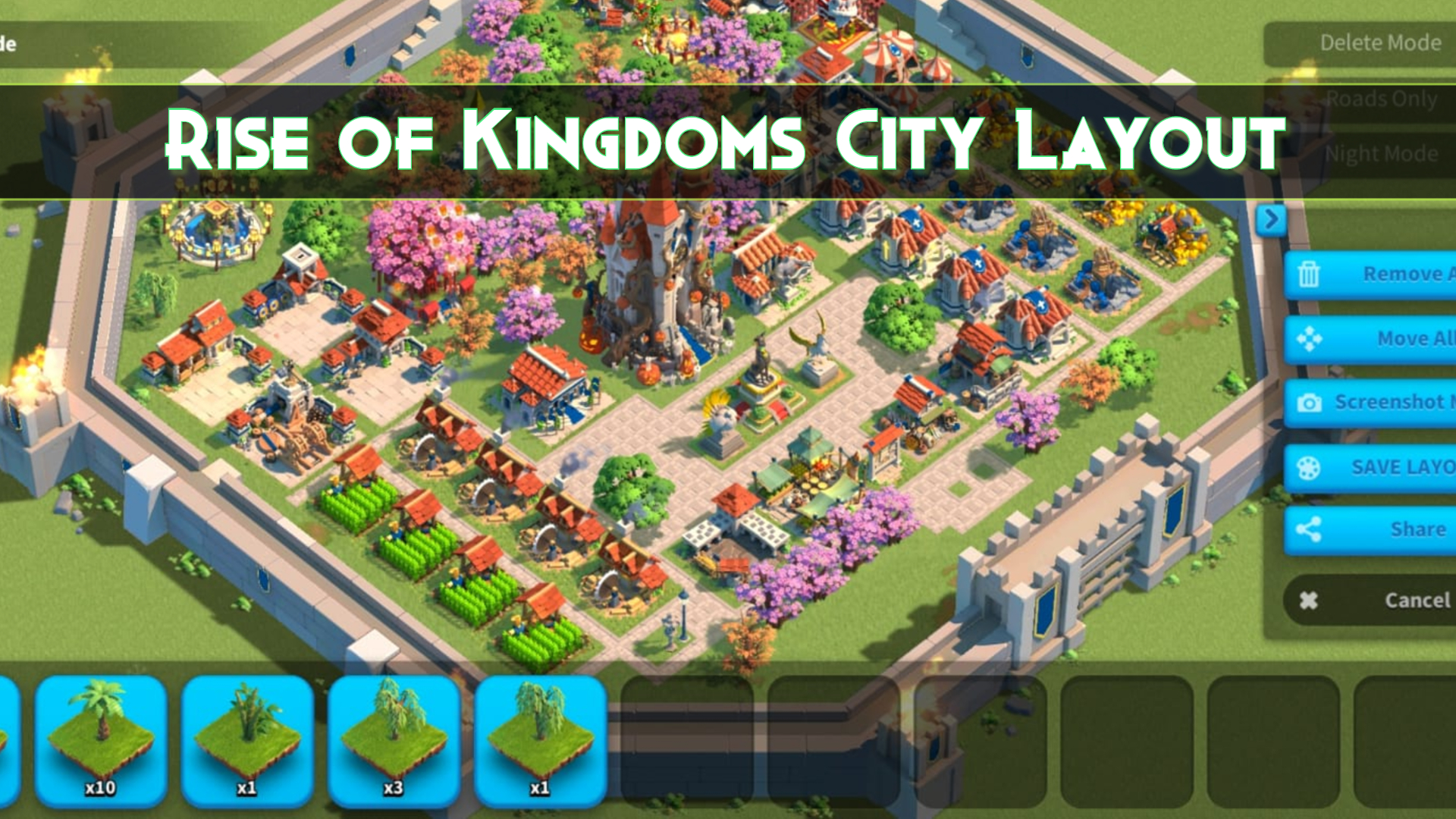
The Rise of Kingdoms City Editor lets you move buildings, roads, trees, statues, and decorations to create a custom city layout. Rearranging the interior is primarily visual and does not directly increase your city’s combat power or defense.
Open the editor from your city view, select an available layout slot, move the objects, save the design, and apply it. Editing and applying an existing layout normally does not require resources, although some decorations may cost gems, event currency, or require progression unlocks.
Enter your city, open City Editor, choose a layout slot, rearrange buildings and decorations, select Save, and then apply the layout. Rise of Kingdoms has sharing tools, but a shared design may still need to be recreated manually rather than imported through a universal layout code.
How to Change Your Rise of Kingdoms City Layout
- Return to your city from the world map.
- Open the City Editor.
- Select an existing design or an available layout slot.
- Move buildings to the desired positions.
- Add or adjust roads, trees, statues, and decorations.
- Preview the layout at different zoom levels.
- Select Save to store the design.
- Select Apply to make it your active city layout.
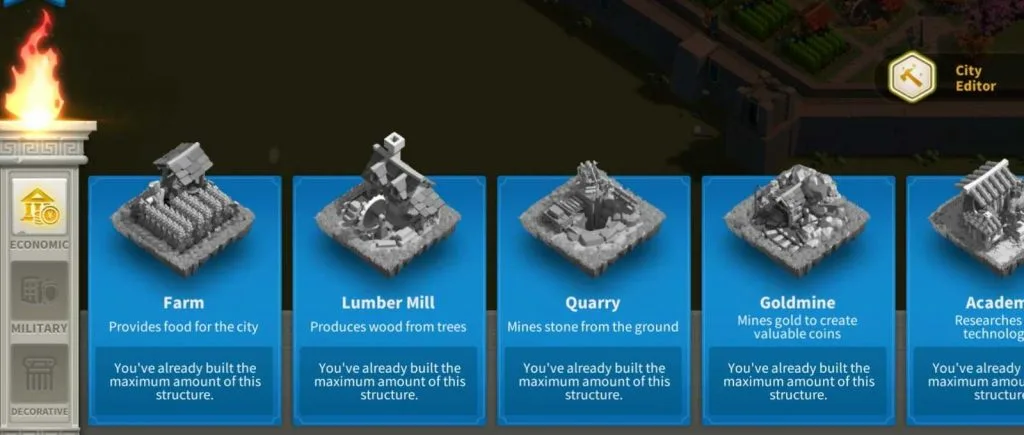
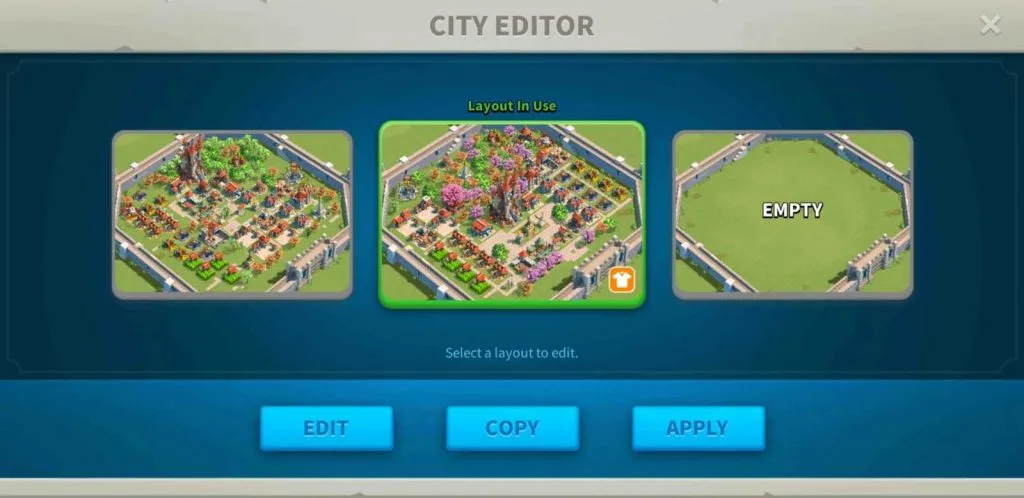
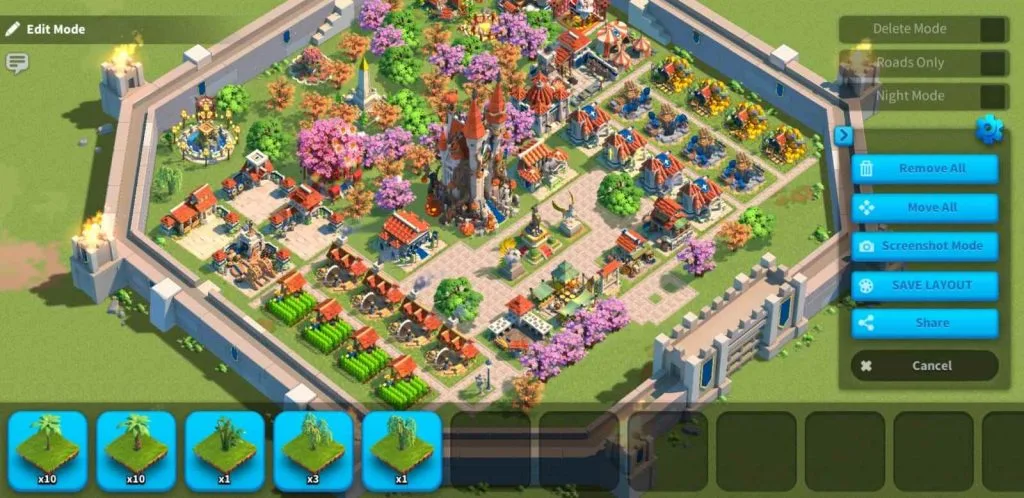
The editor interface may change after game updates. Use the current buttons shown in your client if their positions differ from the screenshots below.
How to Use the Rise of Kingdoms City Editor
Step 1: Open Your City View
Return from the world map and wait for the full city to load. Zoom out enough to see the walls, City Hall, resource buildings, military buildings, roads, and decorations.
Step 2: Select City Editor
Find the City Editor option in the city interface. The exact position can vary by device, screen size, or game update, so use the icon or label shown in your current client.
Step 3: Choose a Layout Slot
Select an existing layout to modify or use an available slot for a new design. Multiple slots allow you to preserve different layouts, but the exact number available should be confirmed in the current game client.
Before editing a design you already like, save or duplicate it where the client provides that option. This prevents accidental loss while testing a new arrangement.
Step 4: Move Buildings
Select a building and drag it to an open area. Keep enough empty tiles around large structures and avoid placing important buildings behind taller objects.
Useful organization options include:
- Grouping Hospitals together
- Creating one area for troop-training buildings
- Keeping Farms, Lumber Mills, Quarries, and Goldmines in resource districts
- Placing the City Hall or Monument at the center
- Leaving important structures easy to tap
Step 5: Add Roads and Decorations
Roads are mainly decorative, but they make the design easier to understand. Use them to separate districts, connect major buildings, and guide attention toward the City Hall or another focal point.
Trees, statues, lights, gardens, and limited decorations can fill empty spaces. Some are unlocked through City Hall progression, events, special shops, or premium currency.
Step 6: Preview the Layout
Review the city at several zoom levels and check for:
- Small buildings hidden behind larger structures
- Roads that end abruptly
- Empty or crowded corners
- Overlapping decorative themes
- Buildings that are difficult to select
- Large areas without a clear focal point
Step 7: Save and Apply
Save stores the current arrangement in its layout slot. Apply makes the saved arrangement visible as your active city.
Confirm that the changes were saved before leaving the editor. If the game shows a warning about missing or unavailable decorations, review the affected objects before applying the design.
Does Rise of Kingdoms Have City Layout Codes?
A universal text-code system that lets every player paste a code and instantly import another city layout could not be confirmed from current official documentation.
Current community guides describe a sharing option inside the City Editor. However, sharing a layout does not necessarily mean the receiving player can import it automatically.
Depending on the current game version, sharing may produce:
- An in-game message
- A preview of the city
- A screenshot or shareable image
- A link or other sharing result
- Instructions that another player must recreate manually
Layout-code warning: Do not treat a screenshot, player ID, or social-media post as an importable layout code. Check the current Share interface to see whether it creates a code and whether another account can actually import it.
- Finish and save the city design.
- Open the saved layout or preview screen.
- Look for the current Share option.
- Select an available in-game sharing destination.
- Use screenshot mode when no direct sharing destination is suitable.
- Share the image through alliance chat, Discord, Reddit, or another community.
- List any limited decorations required to recreate the design.
A shared image can provide inspiration, but another player may need to rebuild the design tile by tile. Their building levels, unlocked structures, and decoration inventory may also differ from yours.
Can You Copy Another Player’s City Layout?
You can study another governor’s city and manually reproduce the arrangement. A direct one-click copy function should not be assumed unless the current City Editor clearly provides it.
To recreate a design:
- Capture a full-city screenshot.
- Identify the main focal point.
- Count the road widths and empty spaces.
- Place the largest buildings first.
- Recreate the main districts.
- Add roads and repeated decorations.
- Fill irregular spaces with trees or small objects.
- Compare both layouts at the same zoom level.
You may not be able to reproduce the design exactly when it uses event decorations, high-level buildings, or objects that are unavailable on your account.
City Layout Versus City Theme
A city layout and a city theme are separate systems.
| Feature | City Layout | City Theme |
| Changes interior arrangement | Yes | No |
| Moves buildings and roads | Yes | No |
| Changes world-map appearance | No | Yes |
| Directly changes city power | No | Some themes may provide bonuses |
| Managed through | City Editor | City theme or cosmetic interface |
Rearranging buildings does not make your city harder to attack. Meanwhile, some city themes can provide troop, gathering, training, or other account bonuses depending on their current tooltip.
Best Rise of Kingdoms City Layout Ideas
Symmetrical City Layout
A symmetrical design uses matching roads, mirrored districts, and evenly spaced decorations. It works well when you want a clean and formal city.
Use the City Hall or Monument as the center, then mirror resource and military buildings on both sides.
City Hall Focal-Point Layout
Place the City Hall in the center or near the top of the city and build the remaining layout around it.
Use larger roads, statues, trees, or empty spaces to frame the City Hall and draw attention toward it.
District City Layout
Separate the city into functional areas:
- Military district
- Hospital district
- Economic district
- Resource-production district
- Decorative park
- Monument or event area
Districts make the city feel organized and can keep frequently selected buildings easier to find.
Nature City Layout
Use trees, gardens, winding roads, open spaces, and matching plants to create a natural layout.
Choose decorations from similar environments. For example, avoid combining too many tropical, winter, desert, and formal garden objects in one small area.
3D or Optical-Illusion Layout
Repeated roads, walls, stairs, and decorations can create the appearance of depth. This is a visual illusion rather than a true three-dimensional building system.
These designs usually require careful spacing and are easiest to recreate from a full-city screenshot.
Minimal City Layout
A minimal layout uses fewer decorations and larger open spaces. It is useful for players who want important buildings to remain easy to select.
Use simple roads and one or two focal points rather than filling every available tile.
Comparing developed cities? A creative layout can make a profile look impressive, but it does not reveal its actual progression. Players comparing available ROK accounts should also review City Hall level, VIP progress, commanders, equipment, armaments, troop technology, passports, resources, and kingdom status.
How to Make Your City Layout Easier to Use
- Keep important buildings visible: Avoid hiding the Academy, Alliance Center, Hospitals, and troop buildings.
- Use roads as dividers: Separate districts and make the design easier to scan.
- Leave space around the City Hall: Prevent it from becoming visually crowded.
- Group similar structures: Place Hospitals, troop buildings, and resource buildings in recognizable areas.
- Avoid excessive decoration: Too many objects can make buildings difficult to select.
- Check different zoom levels: A design that looks good while zoomed out may be inconvenient when zoomed in.
- Preserve a backup: Keep a saved design before testing a major redesign.
For the progression requirements behind those buildings, read the Rise of Kingdoms buildings guide.
Is It Free to Change a City Layout?
Moving existing buildings and applying a saved layout normally does not require resources. However, the complete design may not be free if it uses decorations that require:
- Gems
- Resources
- Event currency
- Special achievements
- City Hall progression
- Limited-time events
- Premium reward tracks
Plan the arrangement before purchasing expensive decorations. A decoration may look attractive by itself but still clash with the rest of the layout.
Does City Layout Affect Defense or Power?
No. Moving a Hospital, Barracks, road, tree, or decorative object does not directly increase your city’s defense, troop statistics, or account power.
Combat strength comes from systems such as:
- Commanders
- Troop technology
- Building levels
- Equipment and armaments
- City themes with active bonuses
- Alliance technology
- VIP progress
The interior layout is therefore mainly a creative and organizational feature.
Common City Editor Mistakes
- Editing without a backup: Save a layout you already like before making major changes.
- Confusing themes with layouts: Themes affect the exterior appearance and may provide bonuses.
- Assuming screenshots are layout codes: A shared image may need to be recreated manually.
- Hiding small buildings: Keep frequently selected structures visible.
- Using too many styles: Choose a consistent decoration theme.
- Buying decorations too early: Plan the full design before spending gems.
- Applying before saving: Confirm the layout is stored in its slot.
- Using outdated instructions: Check the current interface after major game updates.
FAQ
How do I change my city layout in Rise of Kingdoms?
Open City Editor from your city view, select a layout slot, move buildings and decorations, save the design, and then apply it.
Where is the City Editor in ROK?
The City Editor is available from the city interface. Its exact icon position may differ by device or game version, so look for the editor or layout option while viewing your city.
Does a city layout affect defense or power?
No. Interior building placement is primarily aesthetic. Building levels, technology, commanders, and other progression systems determine power.
Is it free to change a city layout?
Moving existing objects and applying a layout is normally free. Some decorations may cost gems, resources, event currency, or require specific unlocks.
How many city layouts can I save?
The City Editor supports multiple layout slots, but the exact number should be confirmed in the current game client because availability may change.
Can I copy another player’s city layout?
You can recreate another design from screenshots or an in-game share. Do not assume that it can be imported automatically unless the current client provides a working copy feature.
Does Rise of Kingdoms have city layout codes?
A current official universal text-code import system could not be confirmed. Check the Share interface to see what type of result it creates in your game version.
What is the difference between a city layout and a city theme?
A layout changes the position of interior buildings and decorations. A city theme changes the city’s world-map appearance and may include gameplay bonuses.
Conclusion
The Rise of Kingdoms City Editor lets you reorganize buildings, roads, plants, and decorations without changing the city’s direct combat strength.
Choose a layout slot, create a clear focal point, group similar buildings, preview the design, save it, and select Apply. Preserve a backup before starting a major redesign.
You can share completed layouts through the available game interface or screenshots, but another player may still need to recreate the arrangement manually. Do not describe a screenshot or social-media post as an importable layout code unless the current client supports that function.
Looking for more Rise of Kingdoms tips and guides? Explore the Rise of Kingdoms category for building advice, commander guides, events, migration help, and progression strategies.