
The Transfer Surge event in Last War: Survival Game allows commanders to move their account to a different warzone (server). This feature usually appears at the end of a season, giving players a chance to find a better battlefield and continue their progress in a new environment.
For many players, transferring servers can completely change the gameplay experience. You may want to join stronger alliances, play with friends, or escape inactive warzones.
In this guide, Heaven Guardian explains how Transfer Surge works, the rules for migration, and important tips to help you successfully move to a new warzone.
What Is Transfer Surge in Last War? 🔄
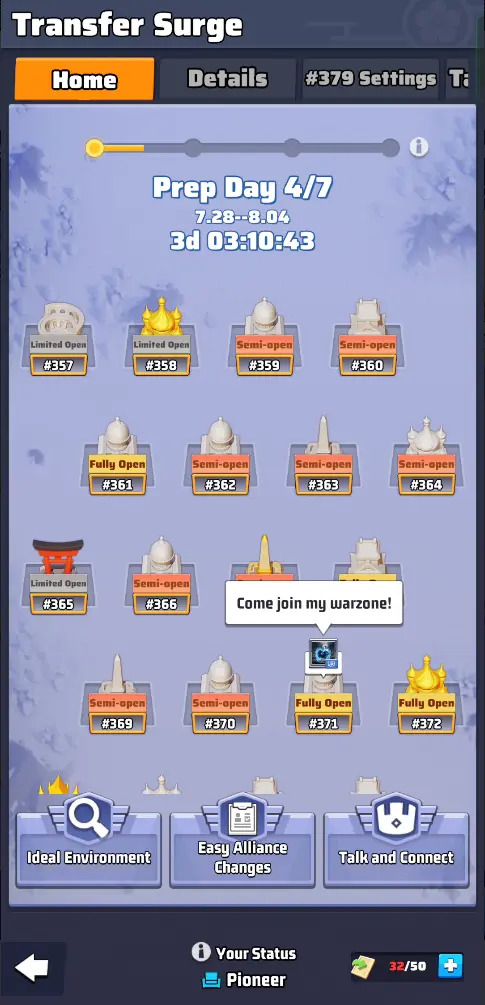
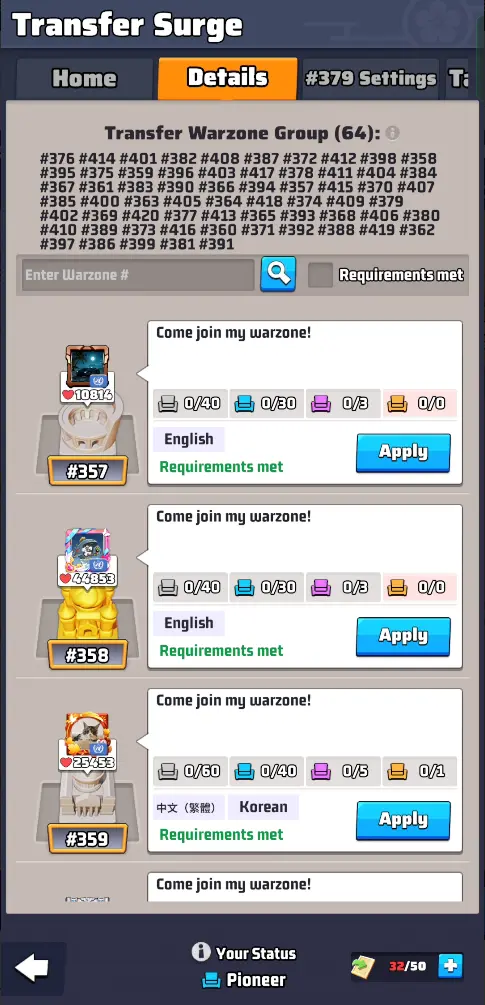
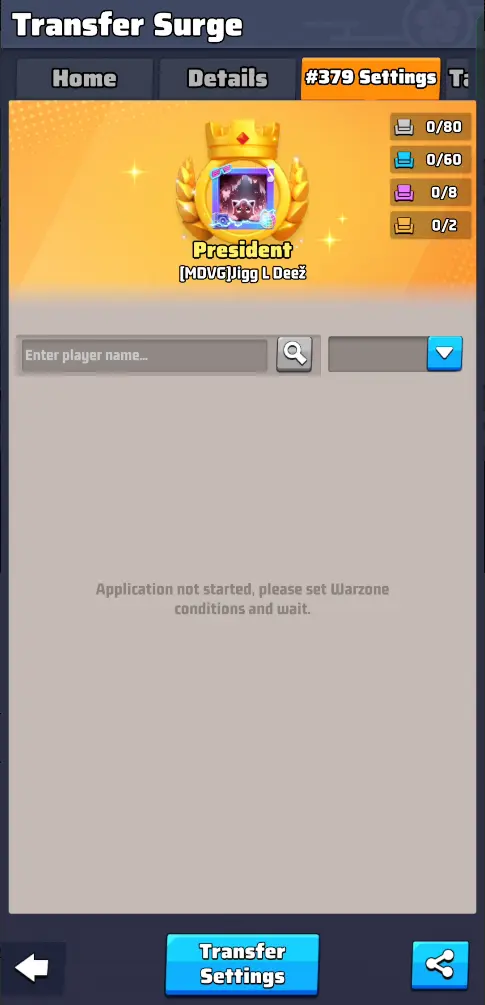
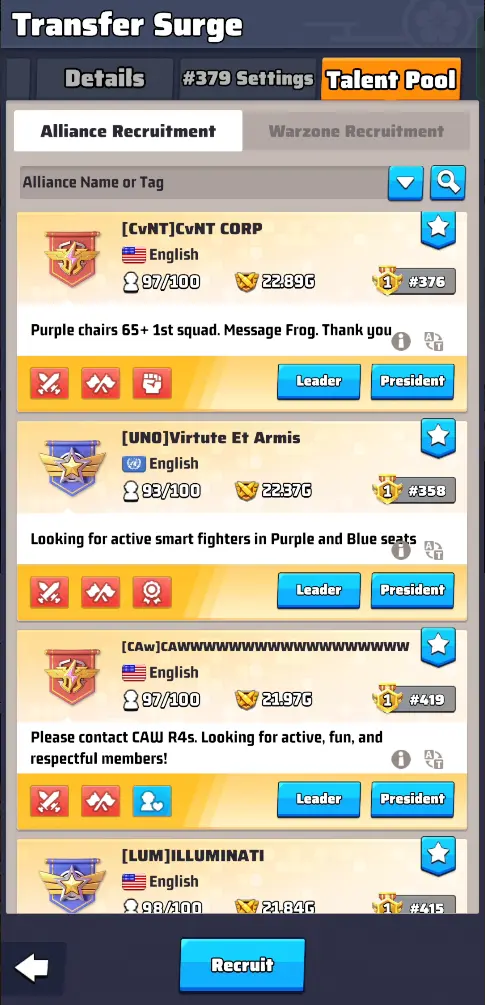
Transfer Surge is a limited-time event that allows commanders to migrate to another warzone. This event typically appears after each season during the Season Celebration period, although in some seasons it may begin slightly earlier.
Event Duration
The Transfer Surge event lasts 14 days and includes four main stages:
- Preparation Phase – 7 days
- Application Phase – 4 days
- Transfer Phase – 1 day
- Results Display – 2 days
During this time, players can review potential warzones, apply for migration, and move their account once approved.
Why Players Transfer to Another Warzone
Many commanders choose to transfer servers for several reasons:
- Join friends or alliance members
- Find more competitive warzones
- Escape inactive or poorly managed servers
- Start fresh in a more active community
- Improve alliance opportunities
Server transfers allow players to reposition themselves in a better competitive environment.
Transfer Warzone Groups Explained 🌍
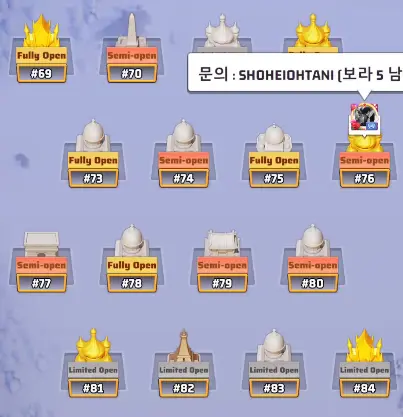
Transfers are not allowed between all servers.
Instead, each server belongs to a Transfer Warzone Group, which includes 64 nearby warzones.
For example:
- Server 45 cannot transfer to server 1230
- Transfers are only possible within the same group
This system prevents major power imbalances between older and newer servers.
Older warzones usually have players with significantly higher power levels, so allowing transfers to newer servers would create unfair advantages.
Transfer Surge Event Schedule
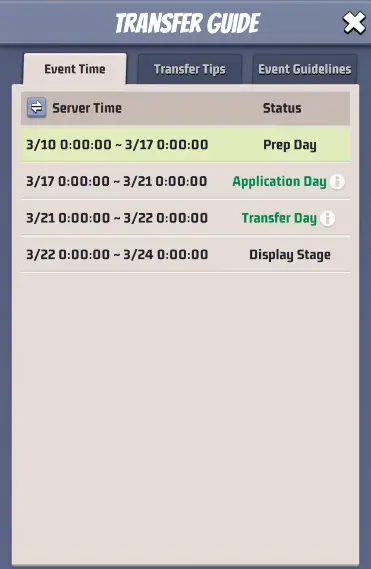
The Transfer Surge event follows a structured timeline.
1. Preparation Phase (7 Days)
During the preparation stage, you can:
- Check your Transfer Score
- Explore available warzones
- Understand migration requirements
- Plan your transfer strategy
No transfers happen during this phase.
2. Application Phase (4 Days)
Players can apply to join another warzone during this stage.
Important details include:
- You can view available warzones
- You can filter servers where you meet requirements
- Each warzone has limited seats for incoming players
Applications must be approved by the president of the target warzone.
3. Transfer Phase (1 Day)
Once approved, you can officially move to the new warzone.
To transfer successfully, you must:
- Leave your current alliance
- Not be the warzone president
- Ensure all troops are inside your base
- Be present in your current warzone
If you do not manually transfer, the game will automatically transfer your account at reset.
4. Results Display (2 Days)
The game displays transfer results including:
- Approved transfers
- Available seats
- Final warzone changes
Transfer Scores Explained 📊
To maintain server balance, the game calculates Transfer Scores for both players and warzones.
These scores determine who can move and where they can go.
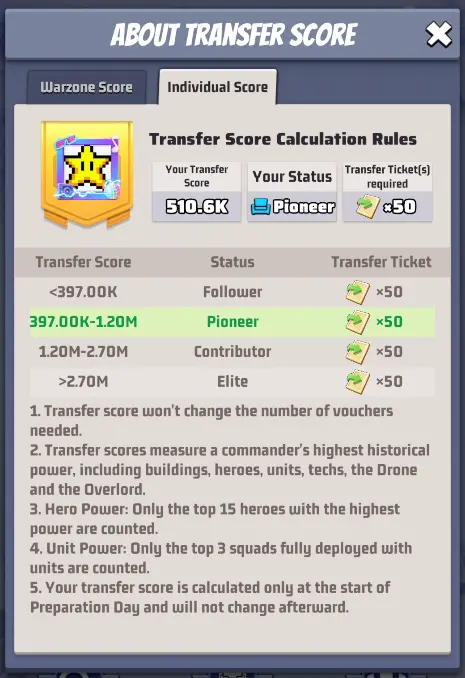
Individual Transfer Score
Every commander receives an Individual Score when the Transfer Surge event begins.
This score is based on:
- Hero power (top 15 heroes)
- Unit power (top 3 squads)
- Building levels
- Technology progress
- Drone upgrades
- Overlord power
The system records peak power values, meaning reducing gear or equipment will not lower your score.
Commander Status Levels
Based on your score, you will receive a status rank:
- Follower (White)
- Pioneer (Blue)
- Contributor (Purple)
- Elite (Gold)
These ranks determine which servers you can apply to and how many seats are available.
Warzone Strength Ratings
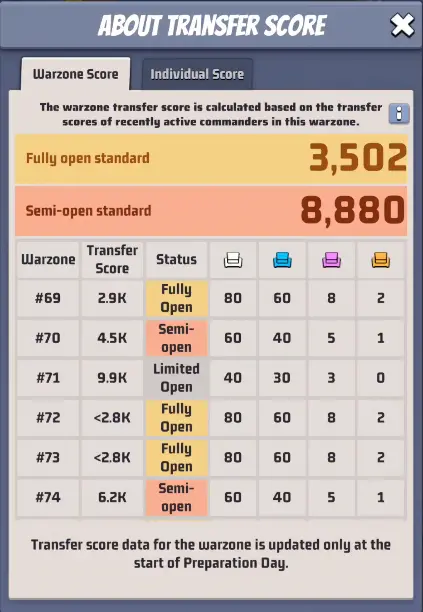
Every warzone also receives a Warzone Score, which measures the overall strength of that server.
Servers are classified into three categories:
Fully Open Warzone
- Lower power server
- Accepts many incoming transfers
Semi-Open Warzone
- Medium power server
- Moderate transfer capacity
Limited Open Warzone
- Strong server
- Very limited transfer seats
This system helps maintain competitive balance across servers.
Transfer Seat Limits
Each warzone only accepts a limited number of players based on their status.
Example limits:
| Warzone Rating | Follower | Pioneer | Contributor | Elite |
| Fully Open | 80 | 60 | 8 | 2 |
| Semi-Open | 60 | 40 | 5 | 1 |
| Limited Open | 40 | 30 | 3 | 0 |
Because of these restrictions, entire alliances rarely transfer together.
Transfer Vouchers Requirement 🎫
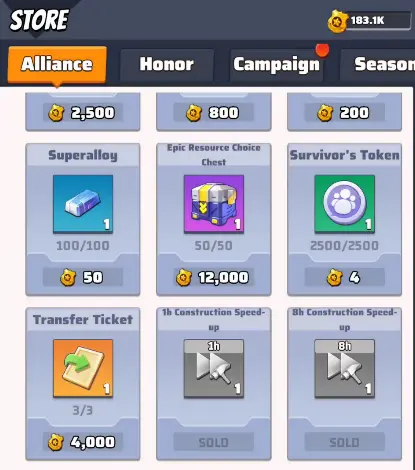
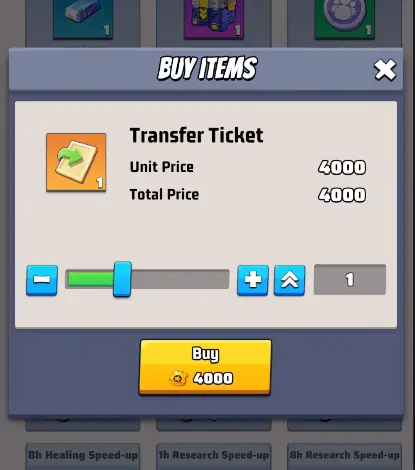
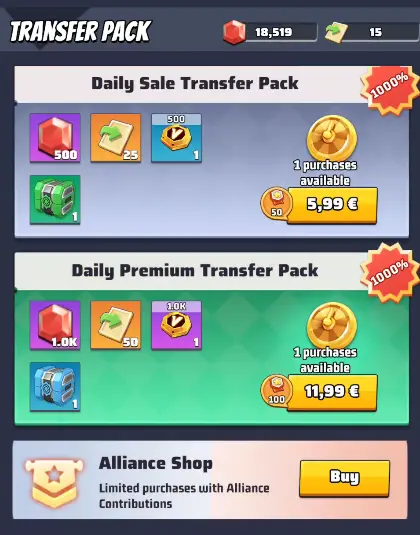
To migrate to another warzone, players must collect Transfer Vouchers.
Transfer Cost
- 50 Transfer Vouchers required
These can be obtained from:
- Alliance Shop (limited weekly purchase)
- Special event packs
- In-game purchases
Because vouchers are limited, many players prepare weeks before the event begins.
Talent Pool & Alliance Recruitment
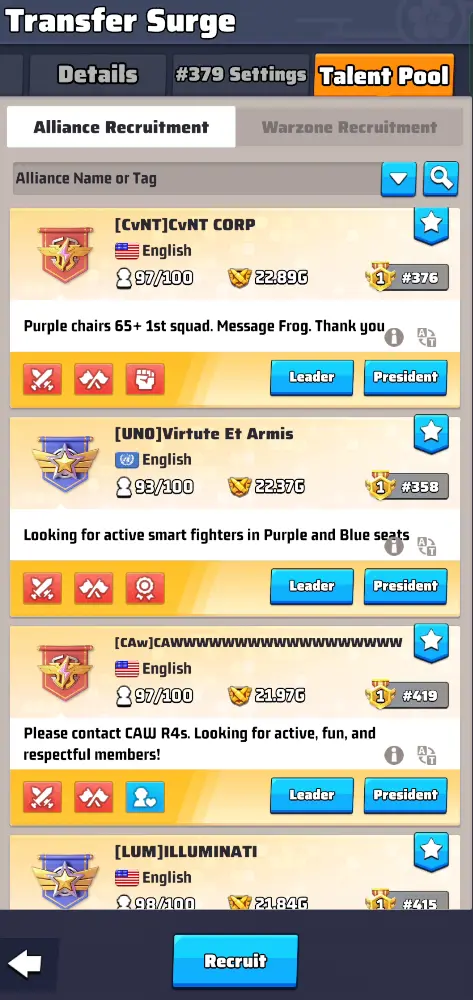
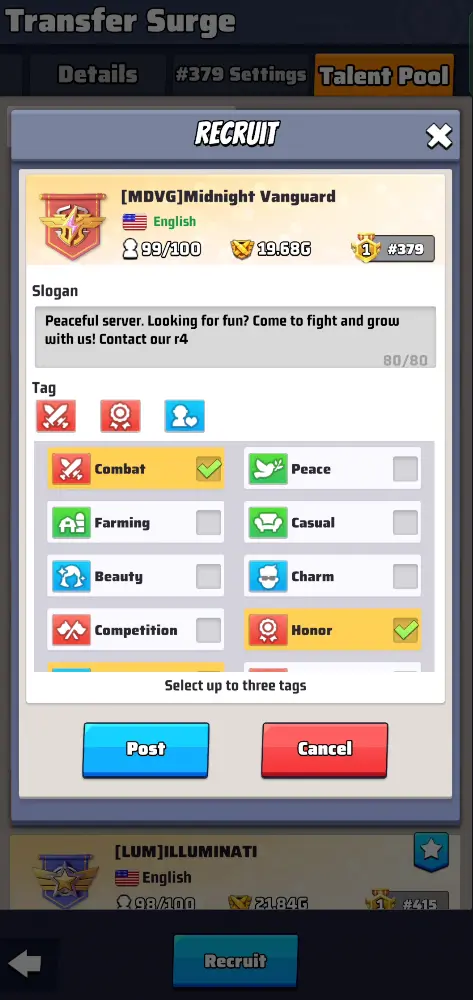
The Transfer Surge system also includes a Talent Pool feature.
Alliances can:
- Post recruitment messages
- Display alliance slogans
- Add recruitment tags
This allows alliances to attract incoming players more easily during transfer periods.
What Happens After You Transfer?
After migrating to a new warzone, several changes occur:
Warzone Rankings
Your leaderboard position will reset based on the new server rankings.
Arena Systems
Arena modes such as:
- Apex Arena
- Storm Arena
- 3v3 Brawl
may reset progress or reassign your ranking.
Events and Tasks
Most ongoing events will continue in the new warzone, including:
- Radar Tasks
- Secret Mobile Squad
- Intercity Trade
- Ghost Ops
- Zombie events
Unclaimed rewards are usually sent to your mailbox.
Pro Transfer Tips from Heaven Guardian 💡
To make the most of the Transfer Surge event:
- Start collecting Transfer Vouchers early
- Research active warzones before applying
- Coordinate with alliance members
- Contact alliance recruiters in your target server
- Check transfer seat availability frequently
Planning ahead greatly increases your chances of successful migration.
FAQs
1. Can I transfer to any server in the game?
No. You can only transfer to servers within your Transfer Warzone Group.
2. Can I return to my original warzone?
Not immediately. You must wait until the next Transfer Surge event, which usually happens at the end of the next season.
3. Does my warzone president need to approve my transfer?
No. Approval is required only from the president of the destination warzone.
4. Can my entire alliance transfer together?
Not officially. Transfers are designed for individual commanders, though groups can coordinate applications.
5. How many players can join a warzone?
Each warzone has limited seats depending on server strength and player status.
6. How often does Transfer Surge happen?
Usually once per season, typically near the end of the season or during the celebration phase.
Conclusion
The Last War Transfer Surge event is one of the most important features for players looking to change servers and improve their gameplay experience. By understanding transfer scores, warzone ratings, and seat limits, you can plan your migration carefully and secure a spot in a better warzone.
Preparing early and coordinating with alliances can greatly increase your chances of success.
💎 Looking for a safe way to boost your progress? Explore our Last War account for sale on Heaven Guardian, a trusted marketplace offering lifetime warranty and premium support.
Learn more about Last War on the official website.