Conquer the Freeze: Your Guide to Auto Hunting in Whiteout Survival 🎮
Whiteout Survival can be a real grind, especially when you’re trying to gather resources. But what if you could automate the beast hunts? Enter Auto Hunting! Let’s dive into how this feature works and whether it’s worth the investment.
What is Auto Hunting and How Do I Get It? 🔥
Auto Hunting is a feature that automates beast hunts in Whiteout Survival. Instead of manually sending out your troops, the game does it for you! This lets you focus on crucial events, base building, and strategic planning. So, how do you unlock this convenient feature?
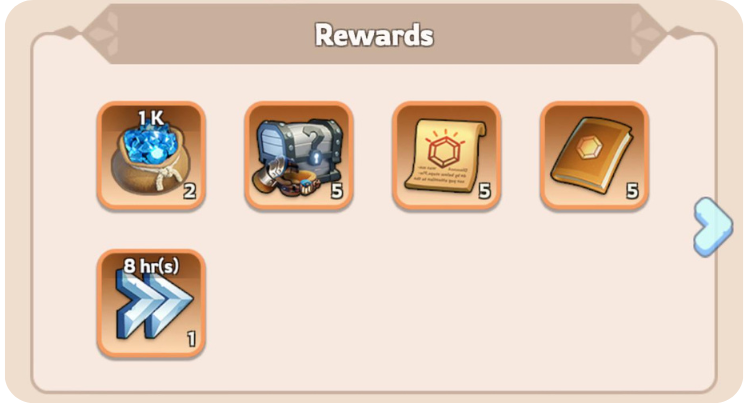
You can acquire Auto Hunting through the “Ultra Value Monthly Card,” found in the in-game Top Up Center. This monthly subscription gives you Auto Hunting, gems, and VIP XP. Therefore, it’s a decent package for committed players.
Auto Hunting: The Fine Print ❄️
Before you jump in, understand when Auto Hunting *stops*:
- Losing a Battle: A defeat will halt operations.
- Quitting the Game: Auto Hunting only works while you’re active.
- Running Out of Stamina: Keep an eye on your stamina bar!
- Teleporting: Moving your base cancels the process.
Many players mistakenly believe Auto Hunting continues while the game is closed. It is not accurate! Auto Hunting requires you to be actively playing the game.
Setting Up Your Automated Hunts 💡
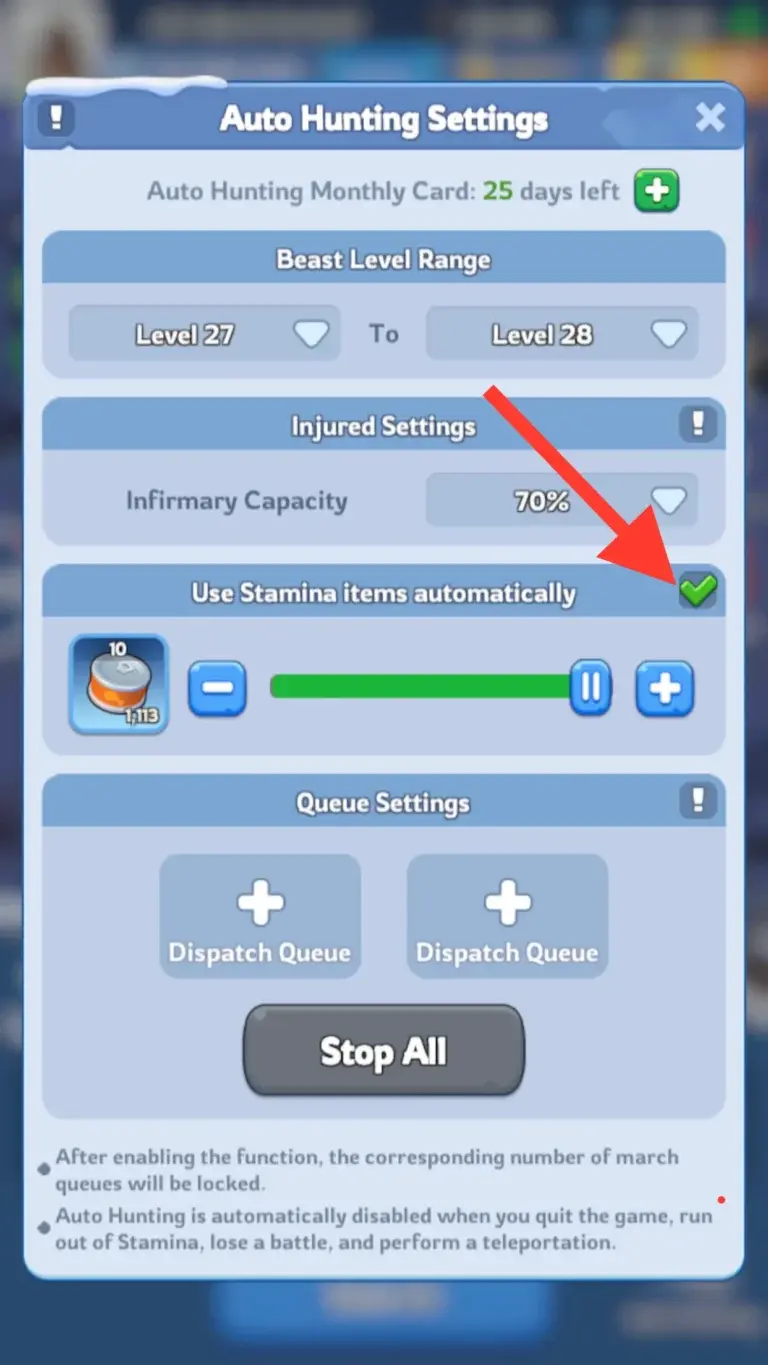
So, how do you actually *use* Auto Hunting? Follow these steps:
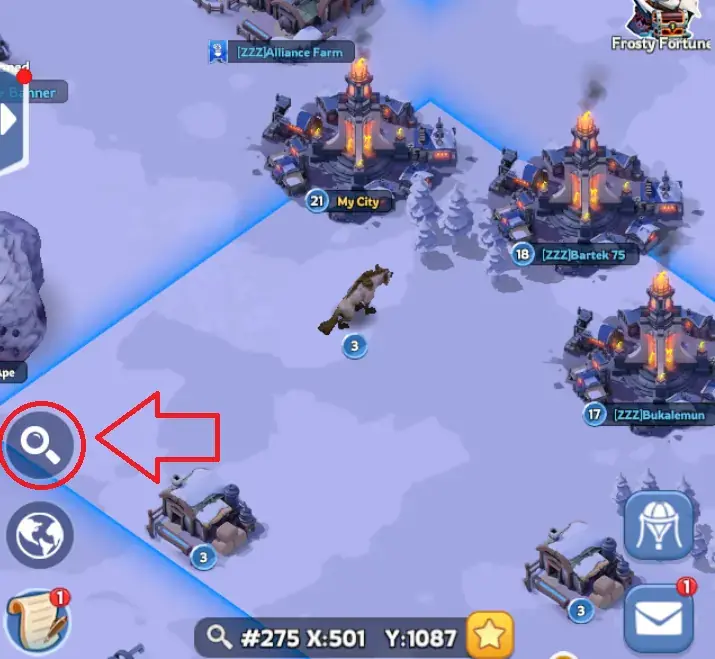
- Access the World Map: Tap the “World” tab at the bottom right of your screen.
- Find the Beast Hunting Tab: Look for the magnifying glass icon on the left side of the screen. Tap it.
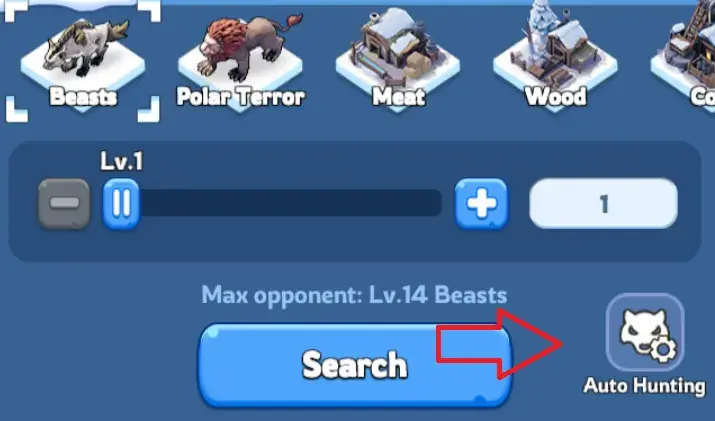
- Activate Auto Hunting: The Auto Hunting button is in the bottom right corner.
From there, a new tab opens with customization options:
- Beast Level Range: Choose the levels of beasts you want to hunt. For example, target levels 27-28 for optimal resource gathering.
- Infirmary Capacity: Set a threshold (e.g., 70%). Auto Hunting will stop once your infirmary hits that capacity. This helps prevent massive troop losses.
- Stamina Allocation: Decide how much stamina to use. Auto Hunting stops once the designated amount is consumed.
- Troop Formation: This is *crucial*. Always use your strongest troops! Losing battles will disable Auto Hunting. So make sure you are using the best team.
Here’s a quick guide to setting up the perfect Auto Hunting experience:
| Setting | Recommendation | Reason |
|---|---|---|
| Beast Level Range | Levels 27-28 (Adjust based on your power) | Efficient resource gathering without excessive losses. |
| Infirmary Capacity | 70-80% | Prevents overwhelming your infirmary and losing troops permanently. |
| Stamina Allocation | As much as you can spare. | Maximizes resource gains while you’re actively playing. |
| Troop Formation | Strongest possible formation. | Ensures victories, preventing Auto Hunting from being disabled. |
Is Auto Hunting Worth the Monthly Fee? 🤔
If you prioritize events and battling, Auto Hunting is a huge time-saver. It lets you effortlessly collect resources while focusing on other important tasks. Therefore, it might be worth it.
The downside is the monthly subscription. Many players would prefer a one-time purchase option. However, for active players, the convenience and resource gains can offset the cost. And also, we don’t know what’s planned for the future!
FAQs
Q: Does Auto Hunting work when the game is closed?
A: No, Auto Hunting only functions while you are actively playing the game.
Q: What happens if I lose a battle while Auto Hunting?
A: Auto Hunting will be disabled immediately after a lost battle.
Q: Can I choose which troops are used for Auto Hunting?
A: Yes, you can select your troop formation before starting Auto Hunting. Use your strongest troops!
Q: How do I stop Auto Hunting?
A: Auto Hunting will stop automatically when you run out of stamina, your infirmary reaches its capacity, or you can manually cancel it.
Q: Is the Ultra Value Monthly Card the only way to get Auto Hunting?
A: Yes, currently, the Ultra Value Monthly Card is the only way to access the Auto Hunting feature.
Q: Does Auto Hunting prioritize certain resource types?
A: No, Auto Hunting focuses on defeating beasts within your specified level range and gathering the resources they drop.
Conclusion
Auto Hunting in Whiteout Survival is a convenient feature for active players. It allows you to automate resource gathering. This lets you focus on events, battles, and strategic gameplay. Therefore, if you are an active player, the monthly fee may be worth it.
💎 Looking for a safe way to boost your progress? Explore our WOS account for sale on Heaven Guardian, a trusted marketplace offering lifetime warranty and premium support.
Learn more about Whiteout Survival updates from the official website.